Michigan Medicine: Legacy Migration
[01]Michigan Medicine's Department of Family Medicine had an intranet nobody used and a brief to make it more usable. Eight months later it had a new one, built around how its 150 faculty and staff actually work, and the templates, specifications and guides to run it without us. I was the lead UX designer on a team of four from the School of Information, working with two department PMs.
A usability brief, an information problem
[02]Family Medicine is a nationally recognised department in patient care, education and research: 260,000 outpatients, 150 faculty and staff, 39 residency programs across Michigan, on several sites. Its intranet was meant to be the HIPAA-compliant hub for all of that. The first migration onto SharePoint had stalled. Staff had no reason to switch, so they stayed on email, Dropbox and Google Drive, and the site became something people were told to use and did not.
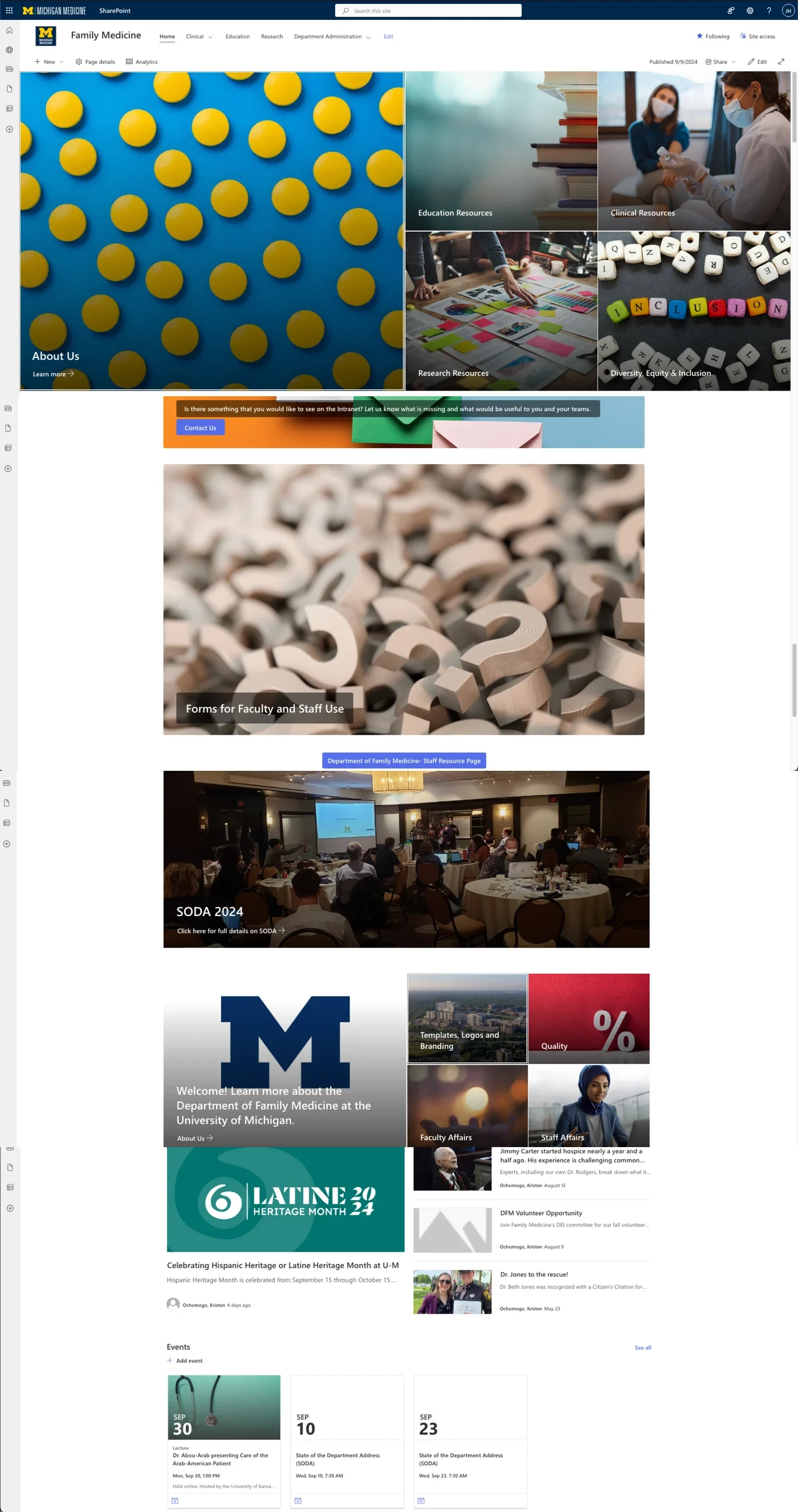
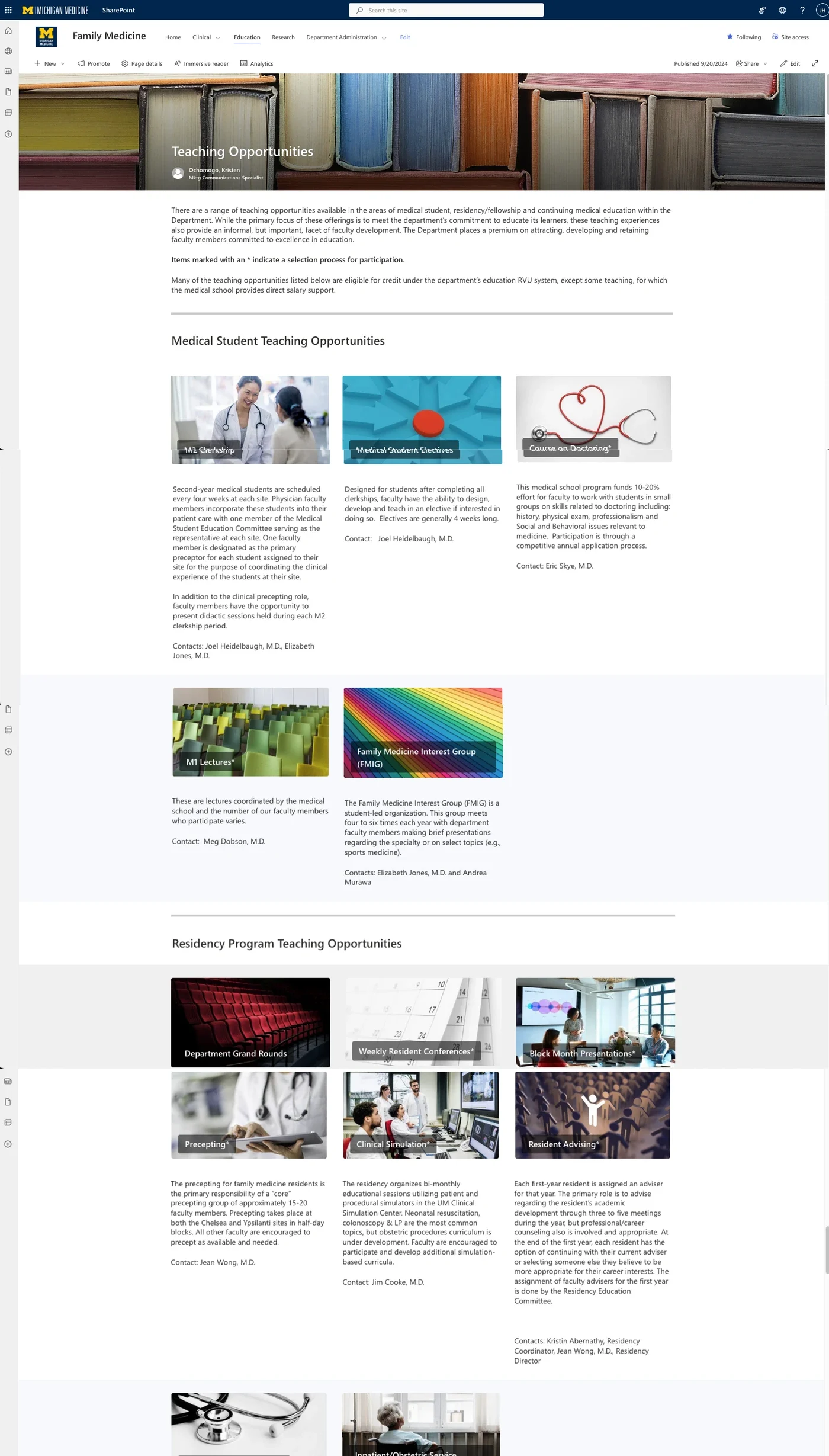
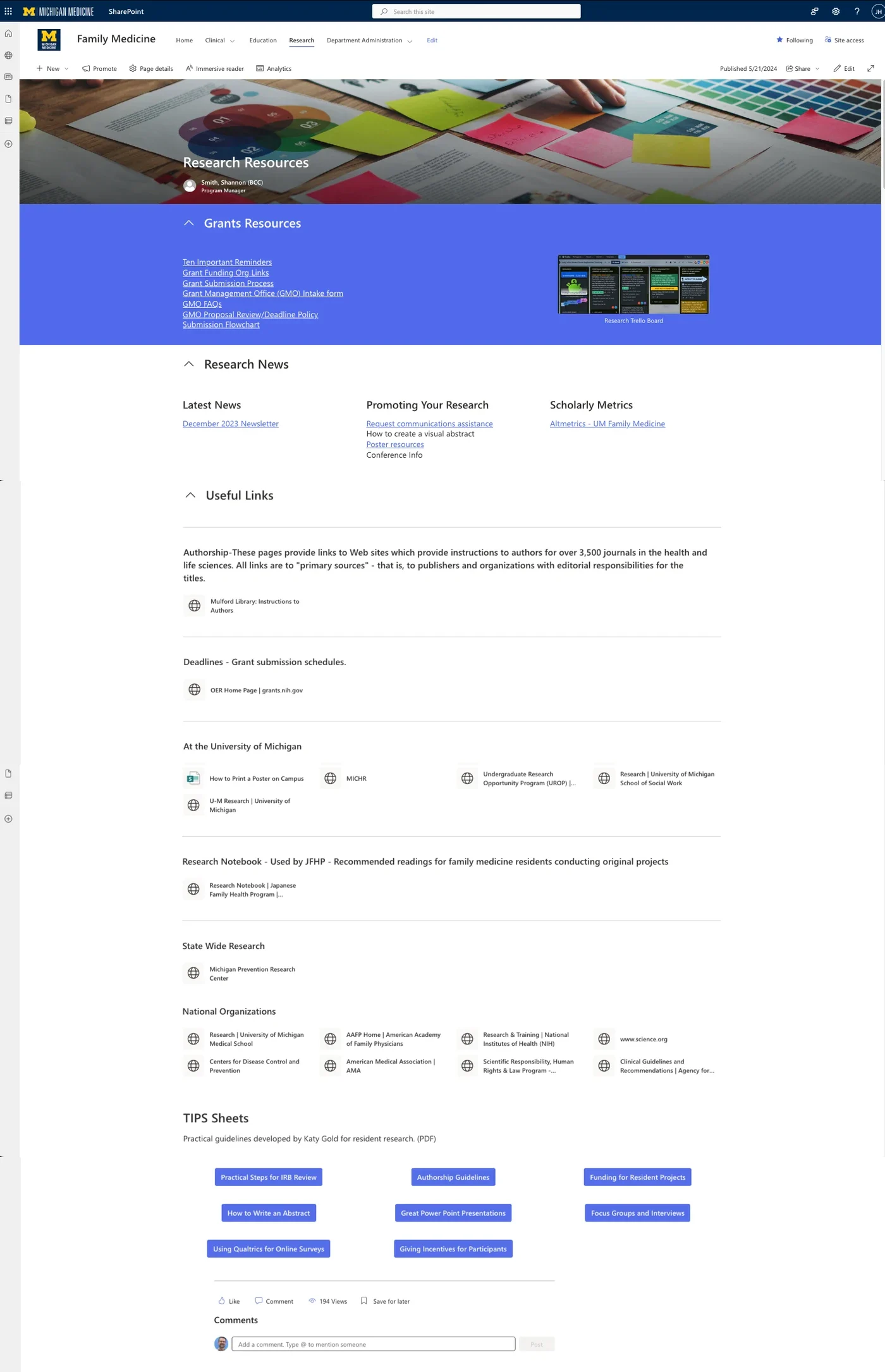
The pages were standard SharePoint templates, unbalanced and long. Navigation was poor, content was out of date, and search was so unreliable that people used Google to find internal documents. What the site should have been doing sorted into five kinds of work.
How might we turn the intranet from an obligation into the first place people go?
The brief was three surface goals: improve usability and adoption, strengthen the information architecture, ground the work in interviews and benchmarking. Research found an information problem underneath: too much content for a small management team to keep current on a dated structure, and no guidance for the people meant to get value from it. Best practice on that structure would have been paint on a crumbling foundation. We took the evidence to the client, and together moved the scope to the root cause.
Research as exposure
[03]A migration is a launch to an audience that has already said no once. So before choosing methods I borrowed the framework I had used at Tour, AARRR, and asked which of its stages this project lived in. Not retention or revenue: the site had to be found, understood and recommended.
That framing chose the plan. Three goals - a baseline of sentiment and barriers, a map of where workflows broke, and the mental models behind behaviour - and targets agreed with the PMs before anything was designed.
The survey quantified usage, challenges and awareness, and reached the people whose schedules would never allow a session.
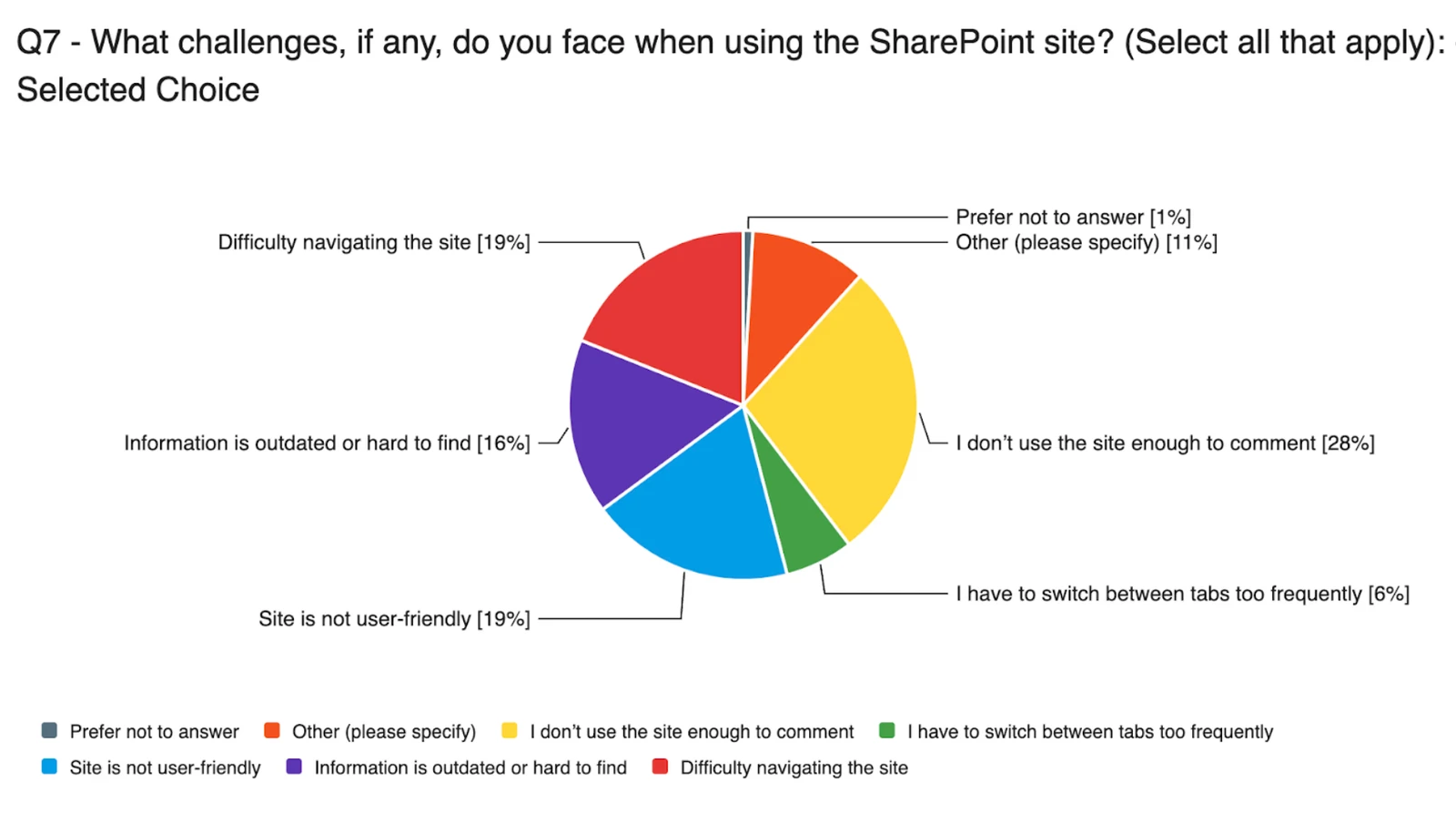
- Functionally abandoned. 69% never or rarely used the site; 28% did not know it existed.
- Email and workarounds. Email was the primary channel at 35%; collaboration lived in Dropbox and Google Drive.
- Reorganisation, not decoration. "The site is heavily oriented to clinical faculty... I cannot find information that is helpful for research processes."
Task-based, moderated sessions with faculty and staff at their own desks: the constraints, the workarounds, the tools open in the other tabs. For most of them it was also the first time anyone had described the migration.




- The nav bar was the mental model. Every task began there, and scrolling or hunting on the page itself frustrated people.
- Search was untrustworthy. So ineffective that users refused it: "not gonna go through three pages of random file[s]."
- The IA was "clunky" and "unfamiliar." People struggled to find information they knew existed.
Where the first two methods described the failure, the card sort described the replacement: how people group and label content on their own intuition.
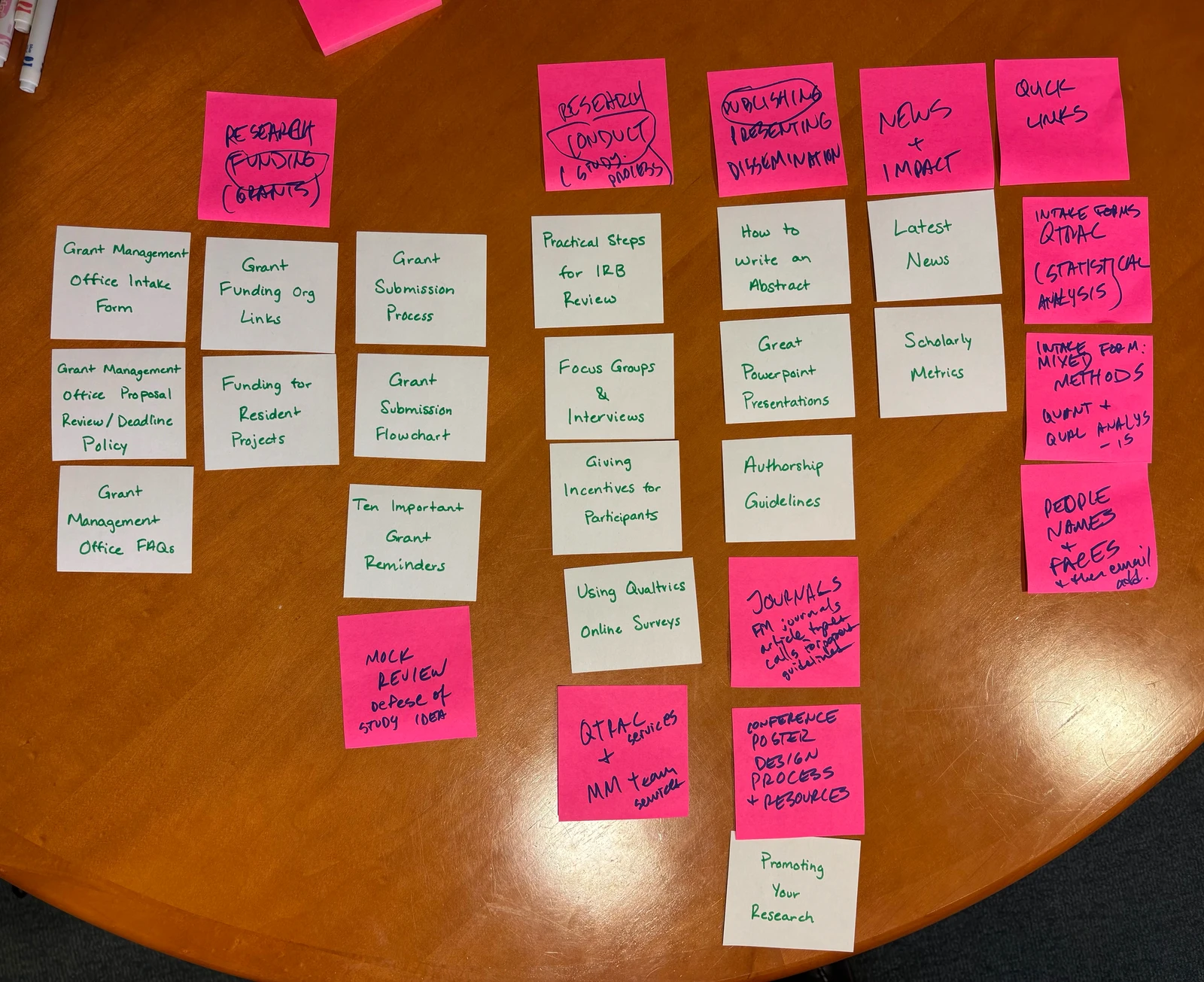
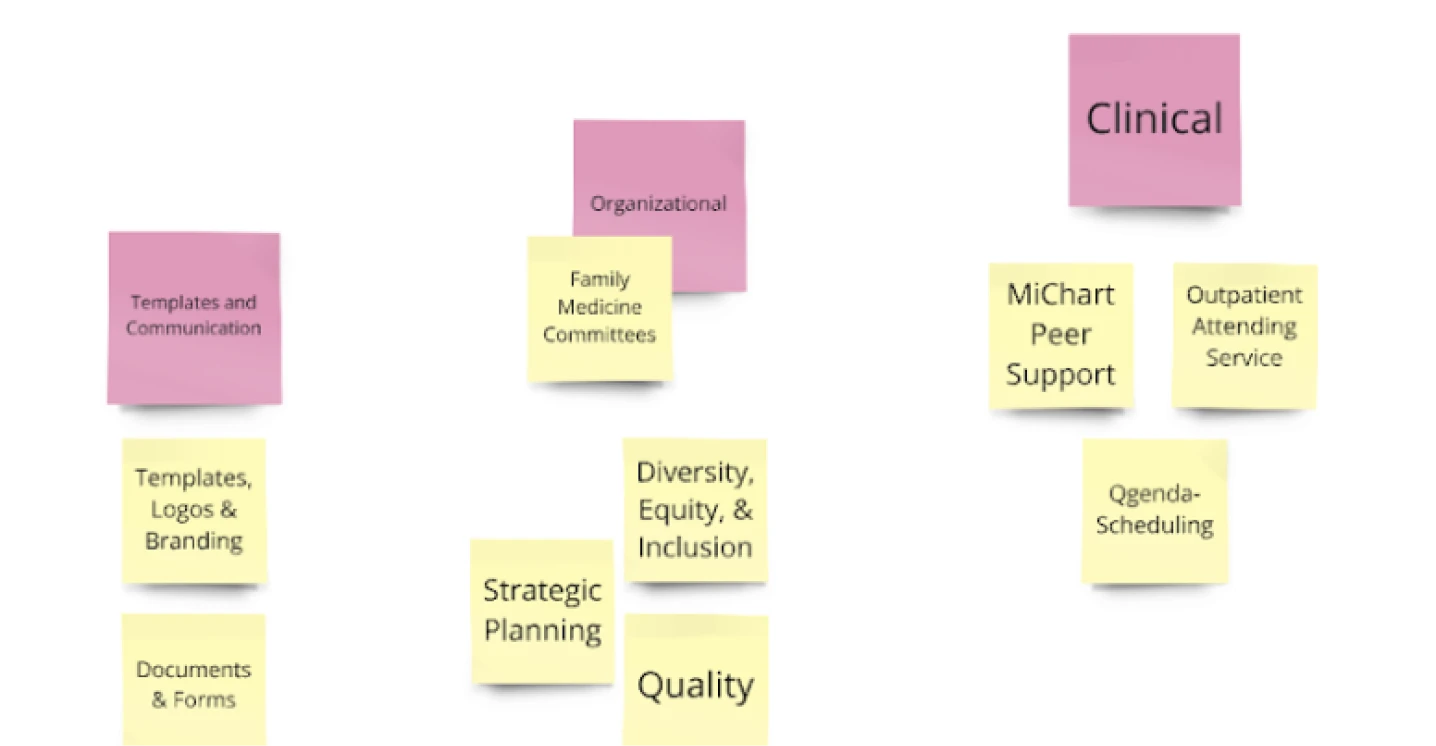
- By role and mission. Clinical, research, residency, faculty - not the structure the site had.
- "Quick links" means high-frequency tools. Documents and forms above all, not miscellany.
- People are a resource. Who does what, and how to reach them, came up repeatedly.
Stakeholders to residents in one room, to surface cultural blockers and define what the intranet was for. Nothing else did as much for adoption: twenty-three people left having argued about what the site should be.
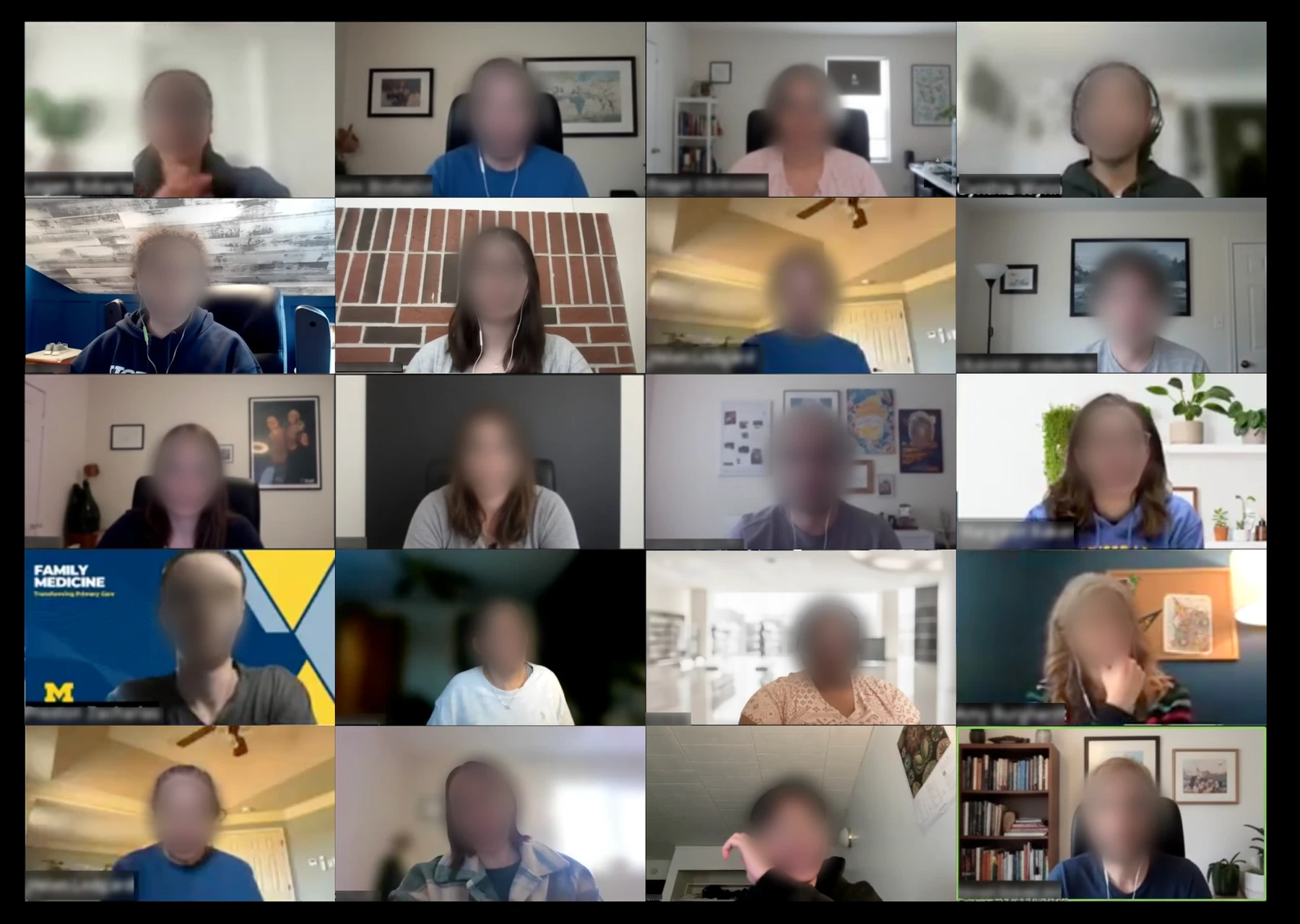
One participant had low vision and was vocal about how much screen-reader accessibility mattered to them. A small, unplanned exchange that shaped what we delivered, and the reason accessibility sat in the requirements rather than the wish list.
- Learning it was "daunting." Departmental training over self-study, which mandated a zero-learning-curve design.
- Clarity on who does what. Explicit responsibilities, so people know who to contact; the enhanced directory came from here.
What the department told us
[04]The affinity map turned hundreds of data points into one conclusion, and the evidence to say it: minor fixes would not work.
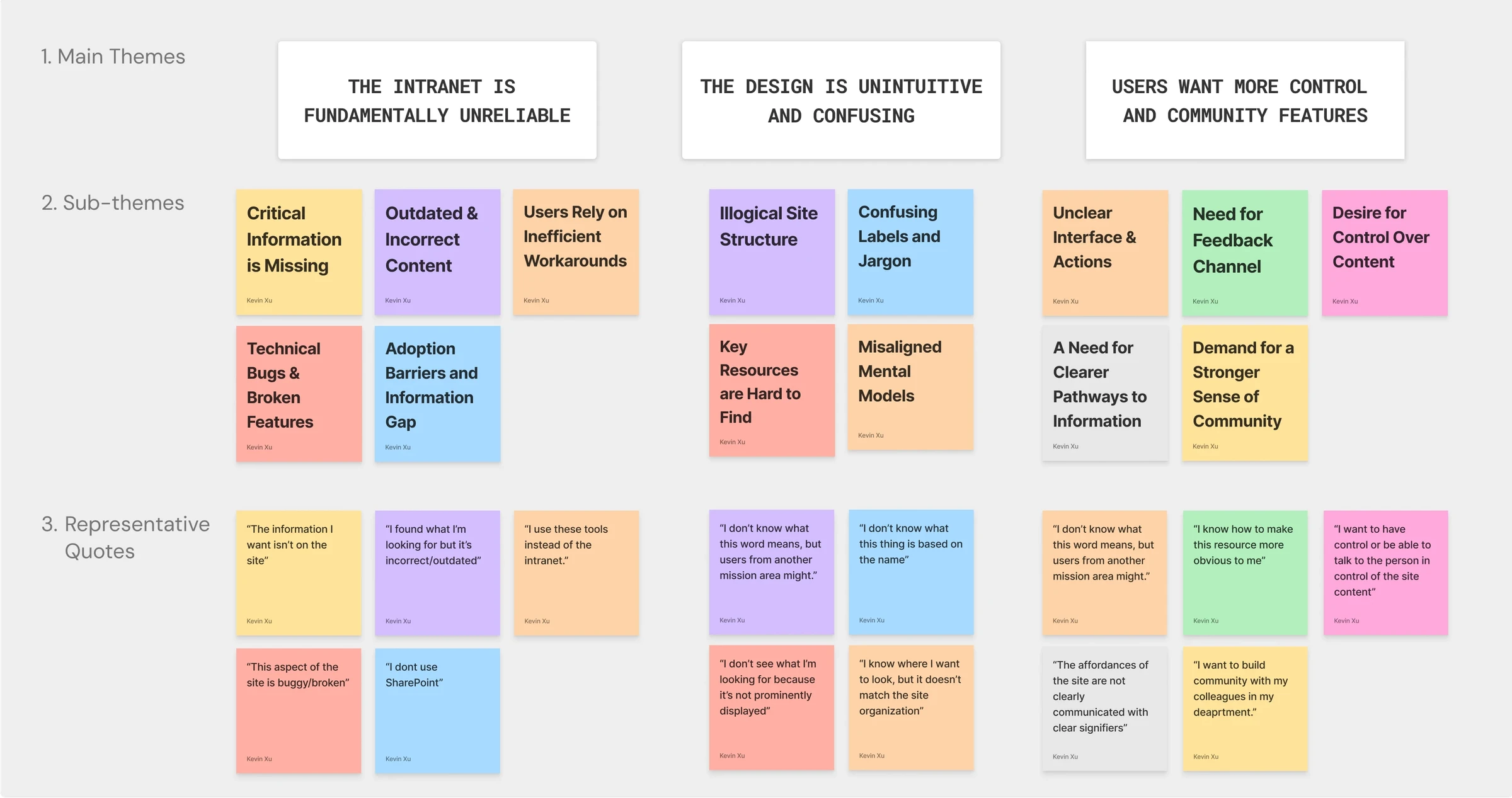
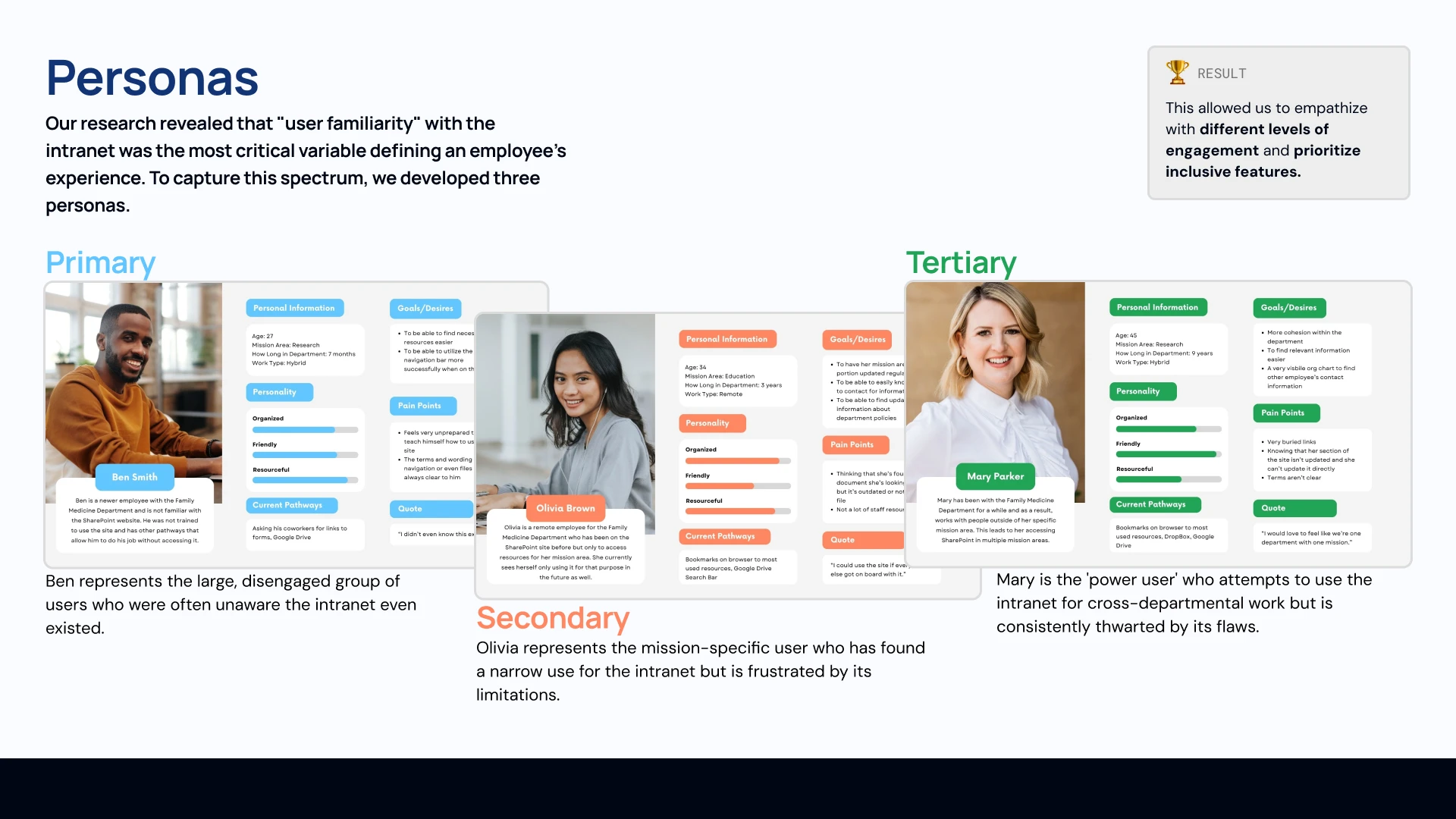
Personas defined our users, scenarios their context, journey maps their emotional arc. Familiarity with the intranet, not role or tenure, decided someone's experience, so the personas span that spectrum.
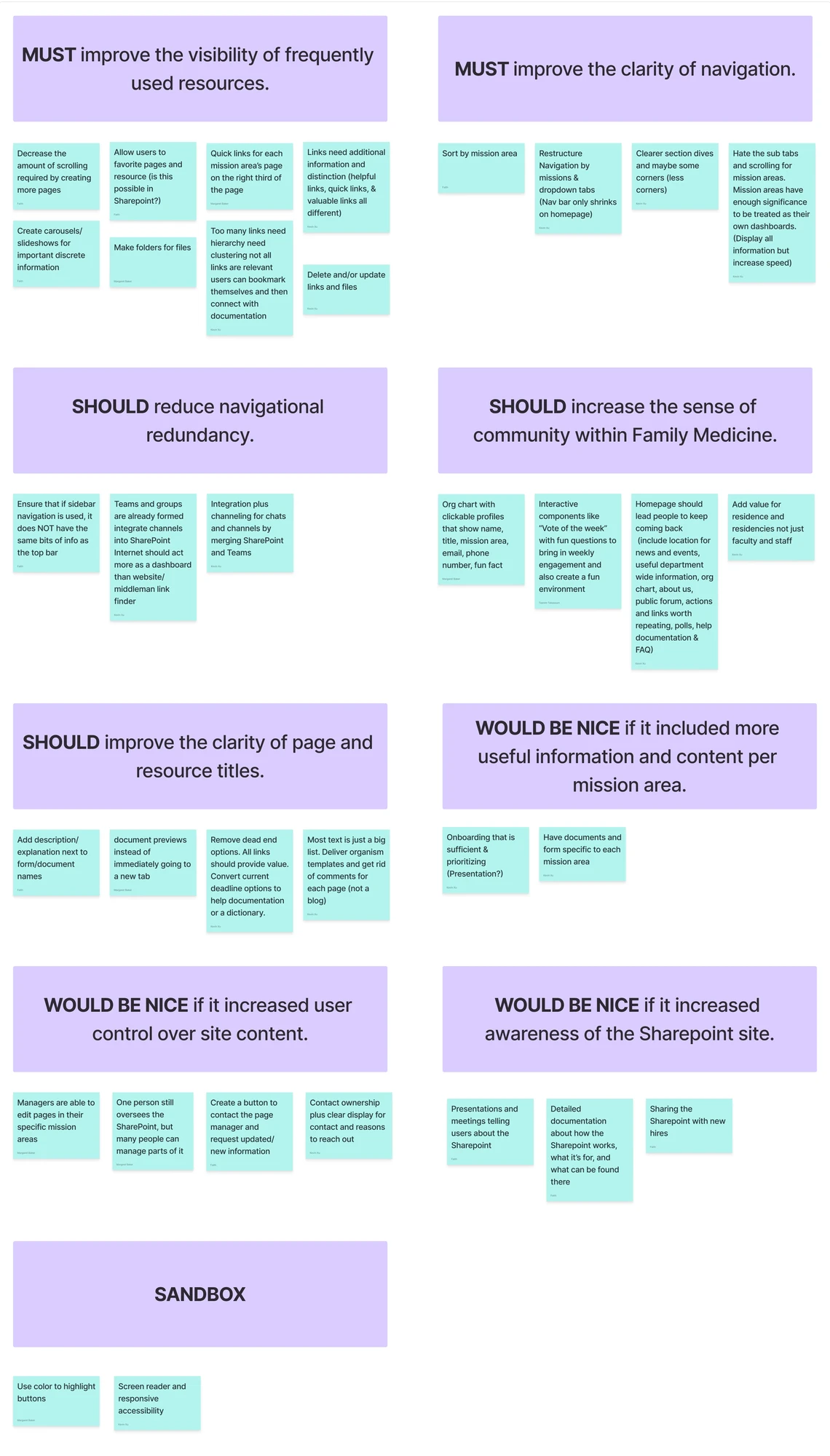
Requirements were prioritised with MoSCoW, so the client could see what was non-negotiable and what was deferred, including a sandbox for the ideas worth keeping but not building yet. Two musts: the visibility of frequently used resources, and the clarity of navigation.
Building in SharePoint
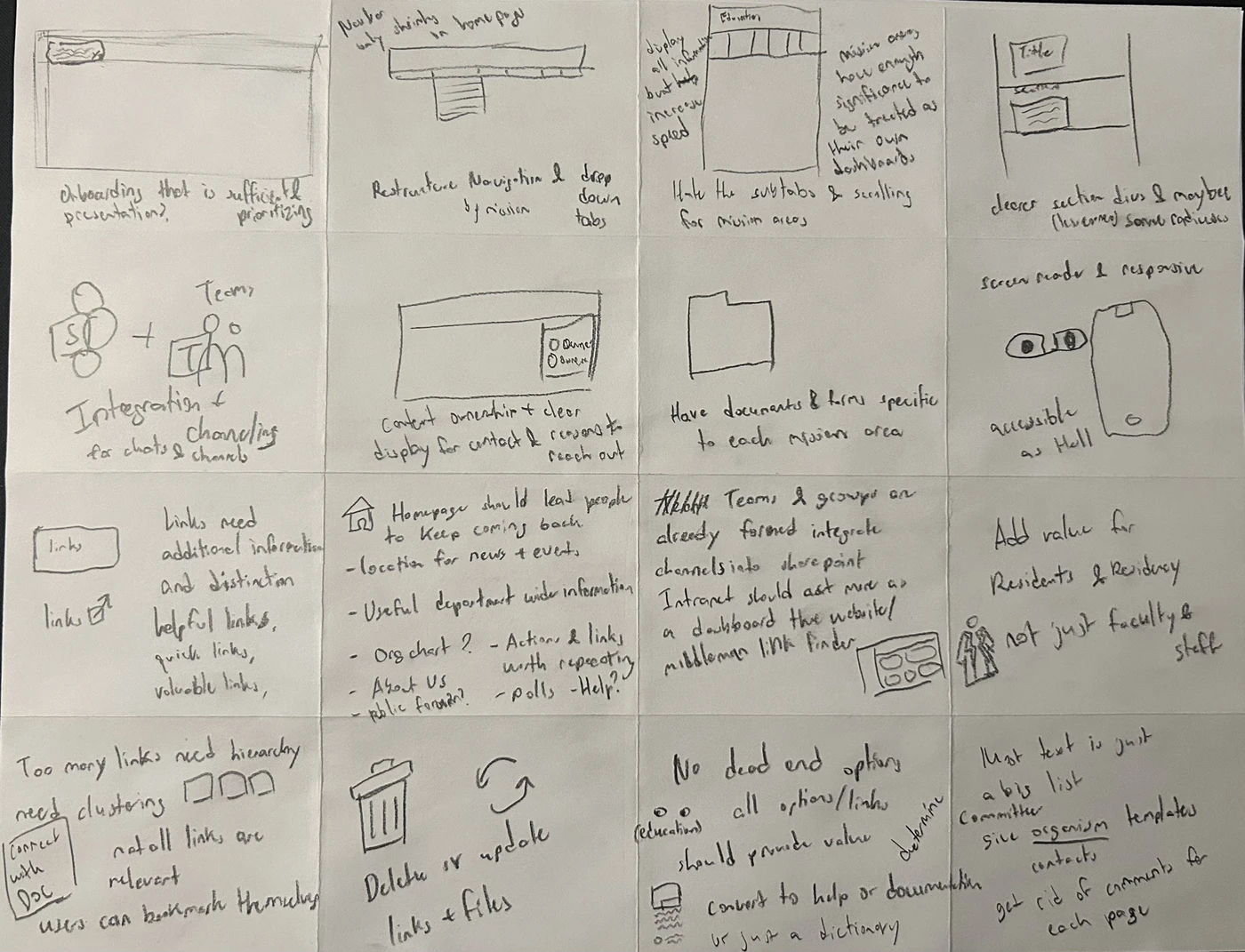
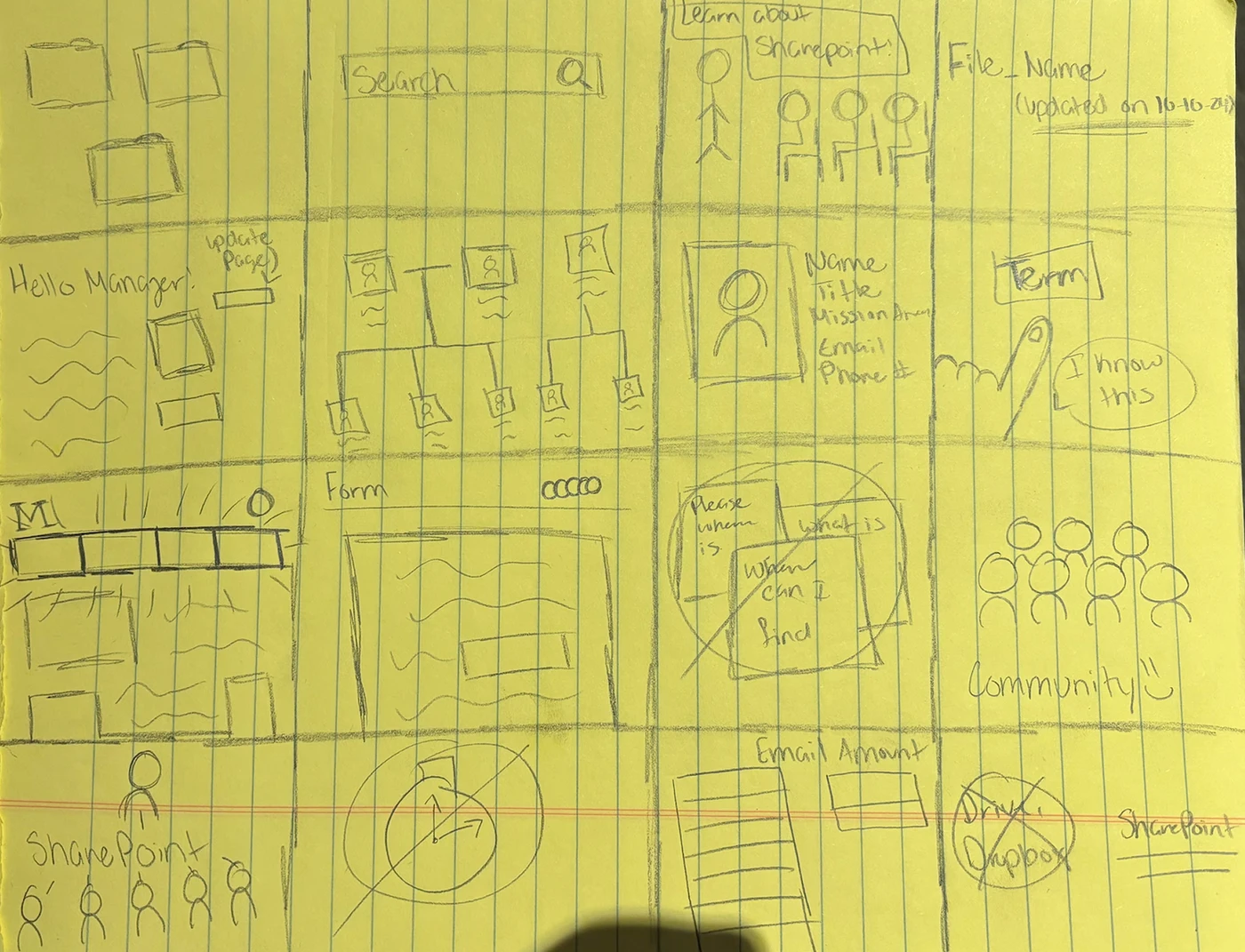
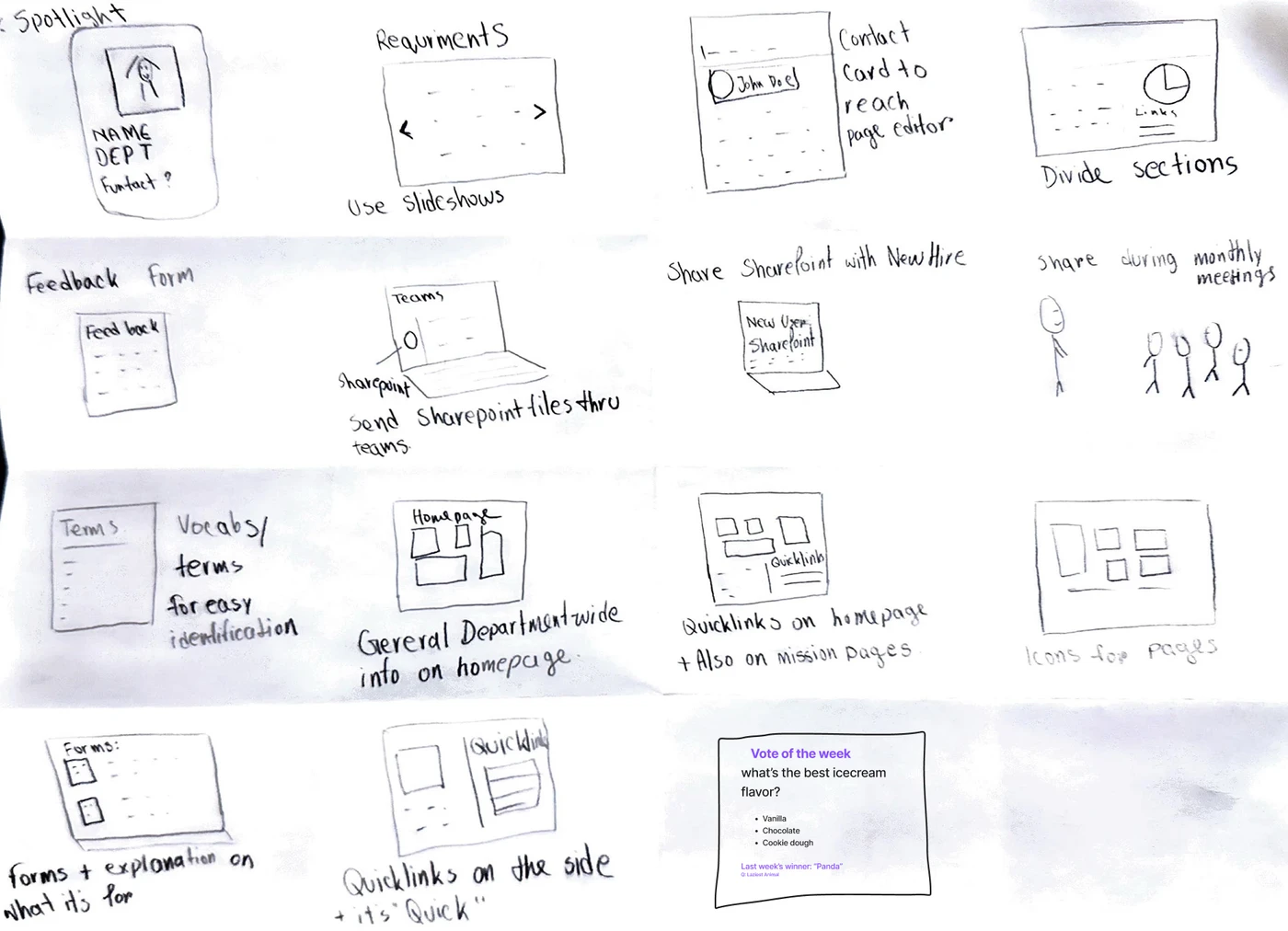
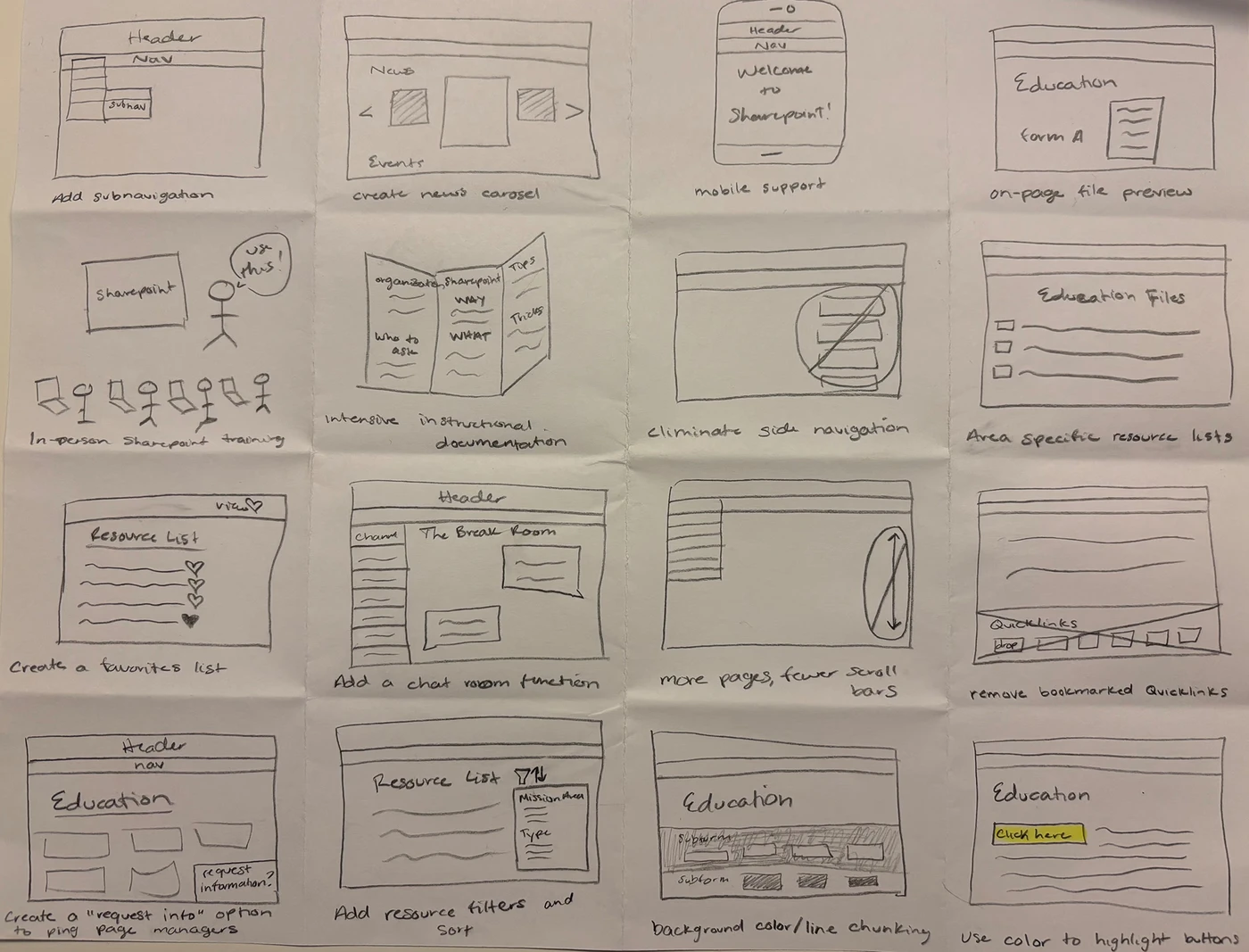
[05]We sketched 64 solutions, from interactive dashboards to new navigation models, and converged on the ones that met the requirements.
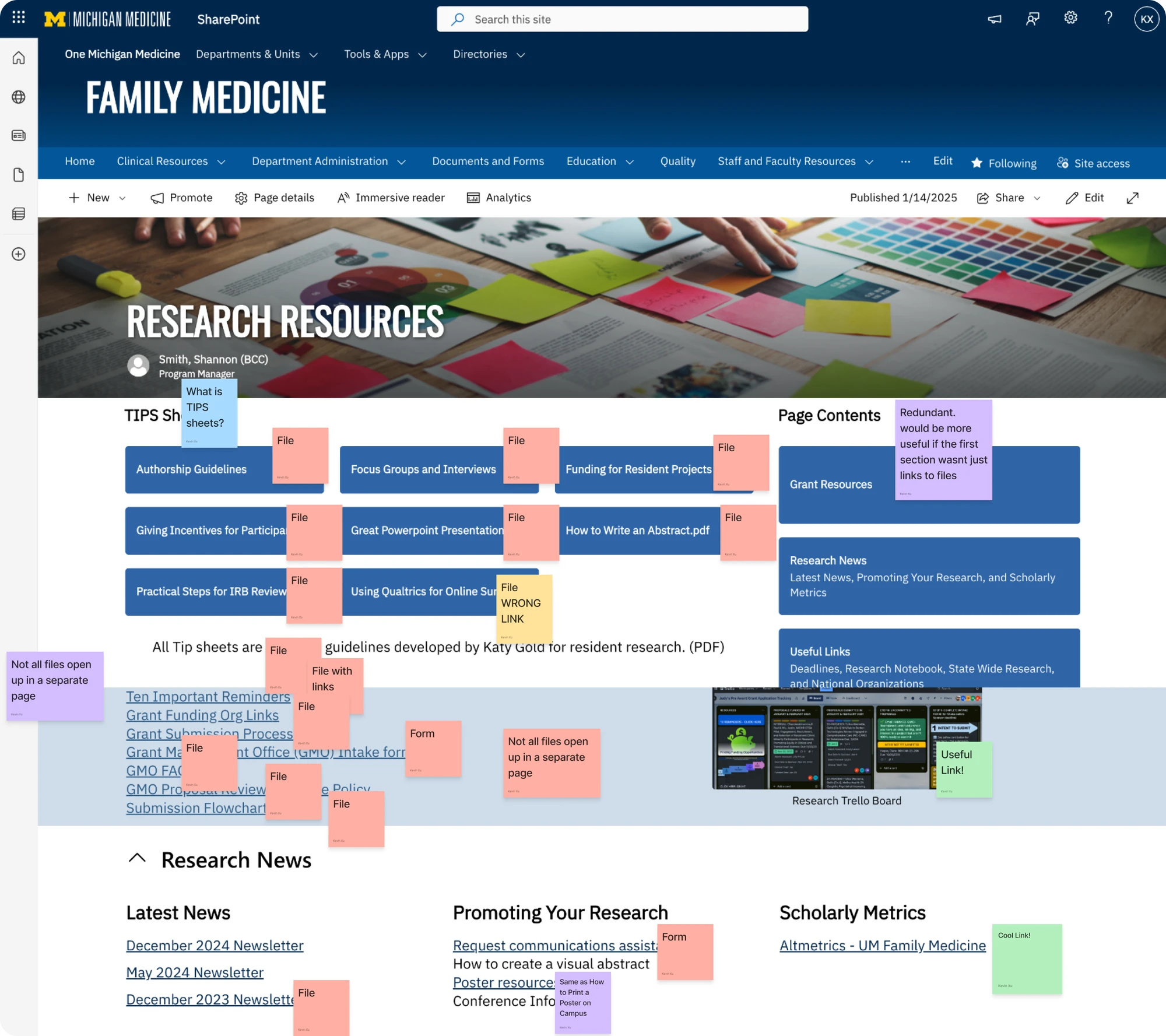
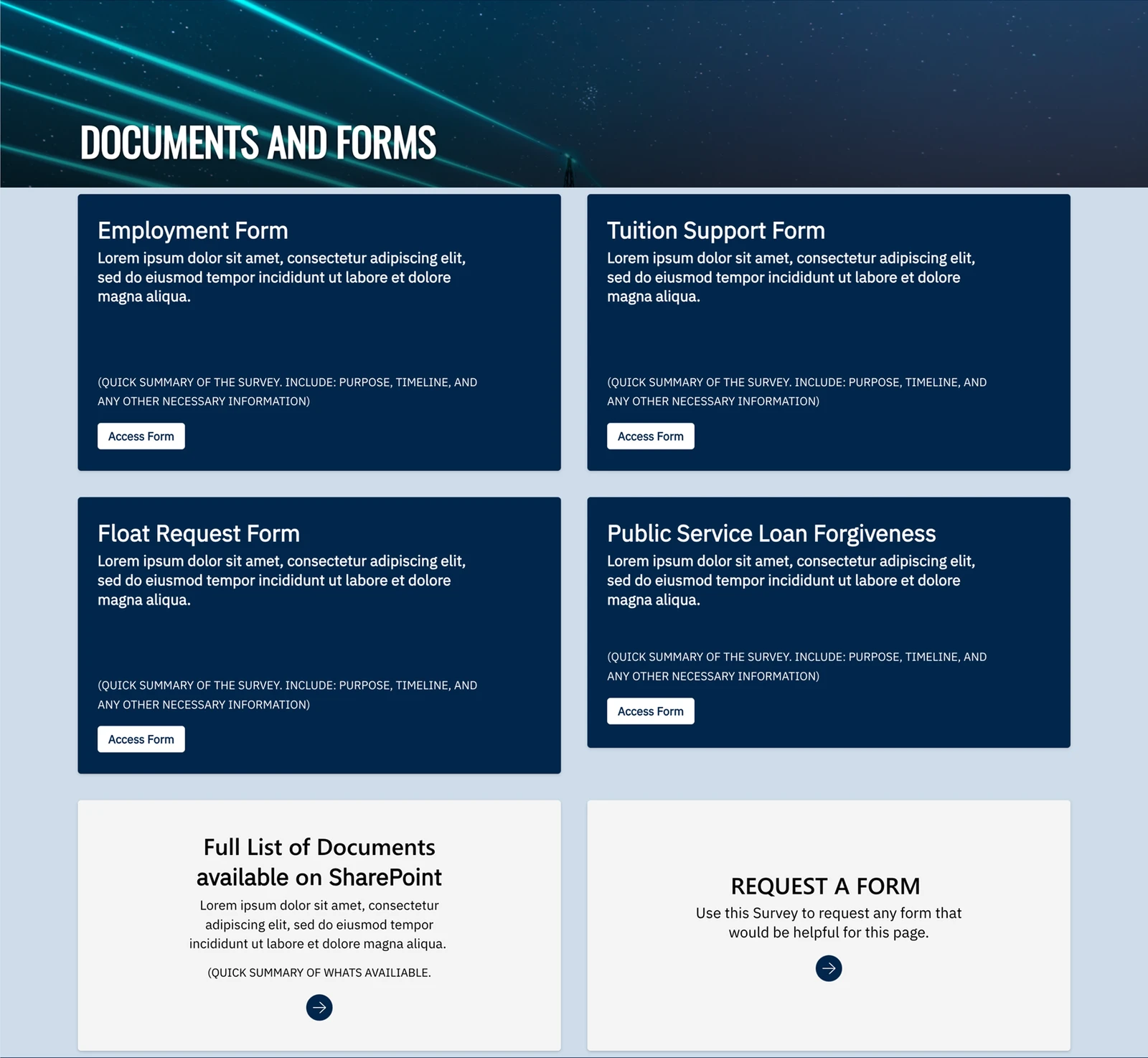
I audited four mission areas, twelve primary pages and 240 links: dead ones flagged, useful ones surfaced, copy fixed so files are labelled consistently, and a home recommended for each. The audit became flowcharts, with the card sort deciding the groupings and the focus group promoting the links people needed most.

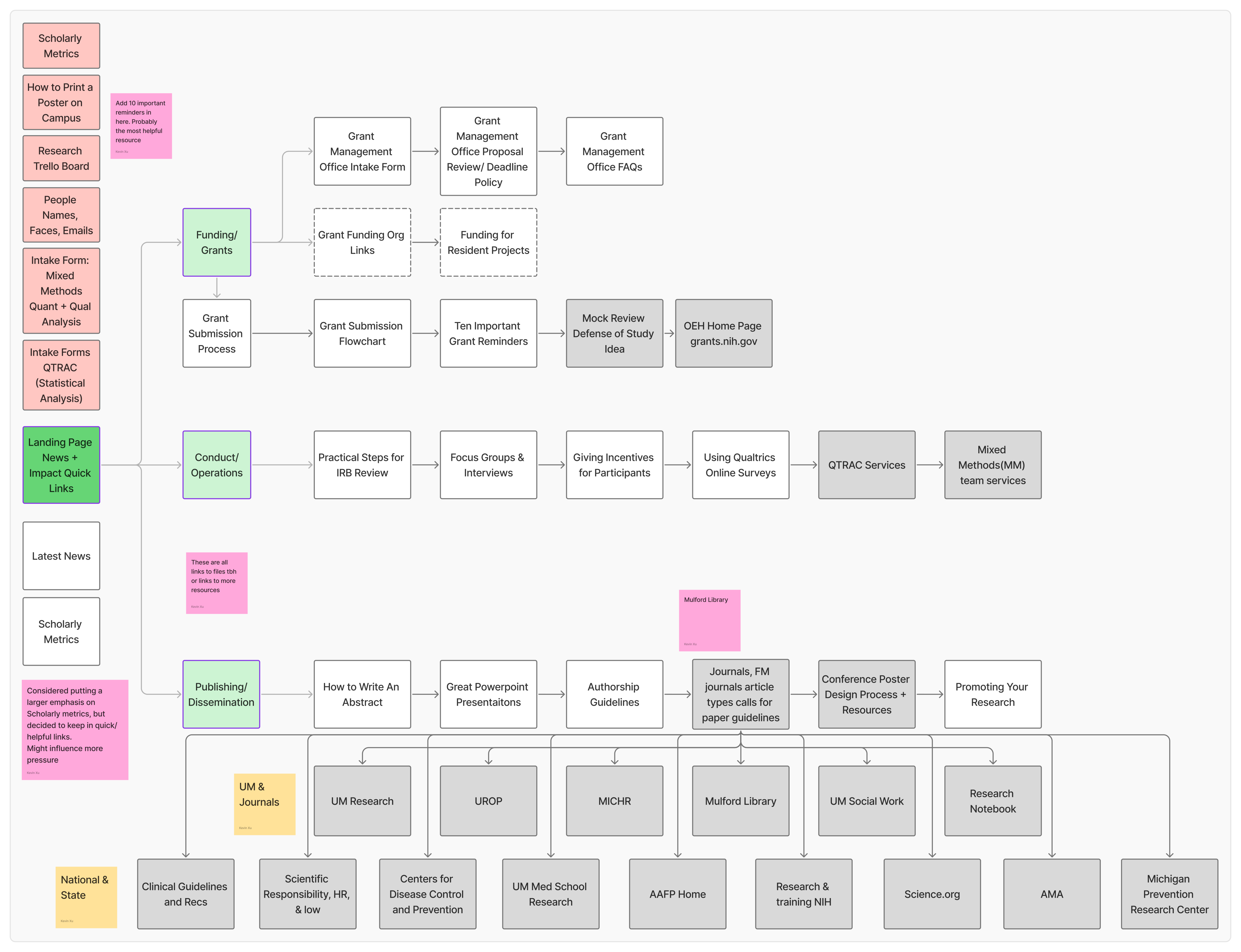
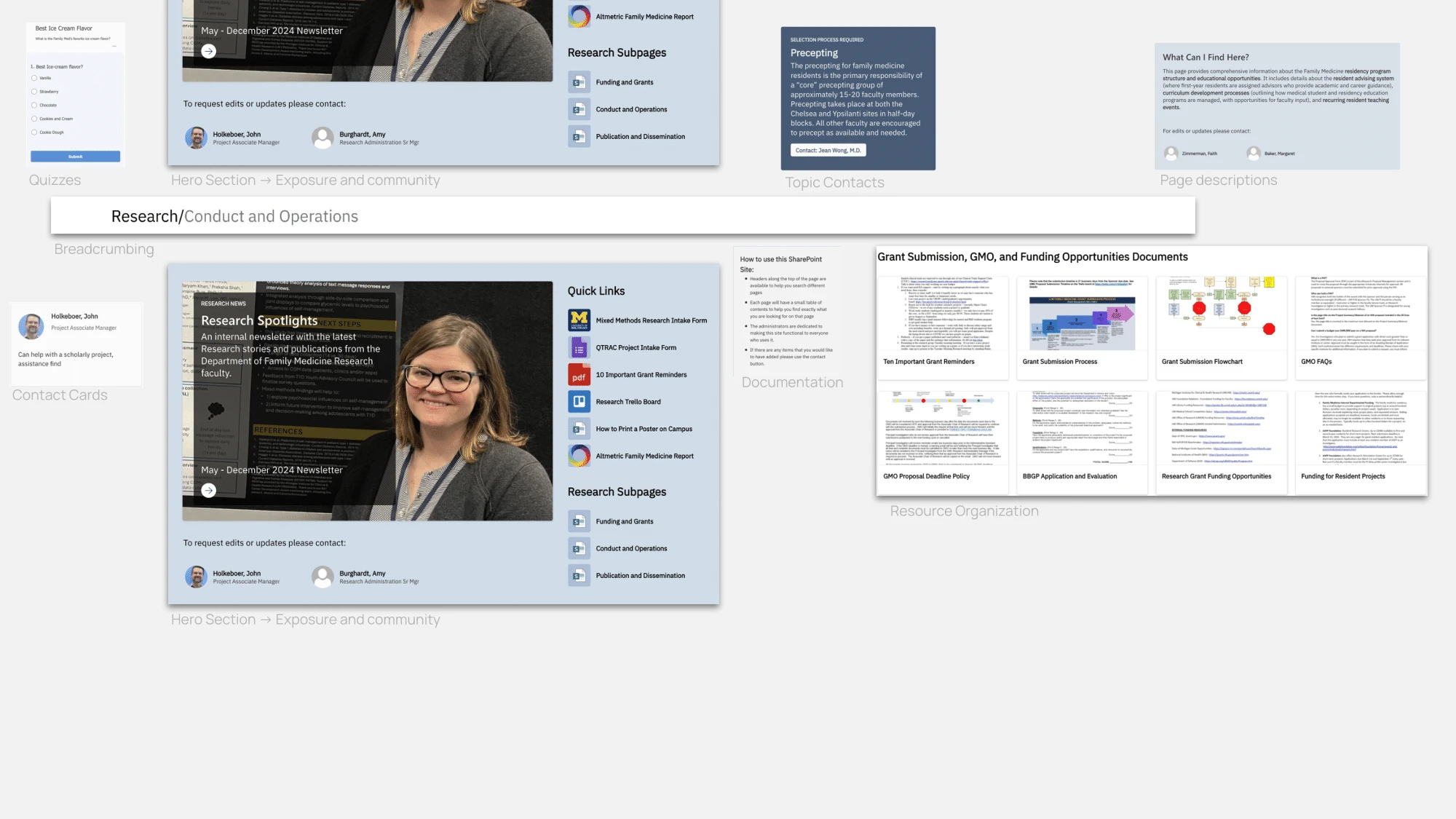
The information architecture was rebuilt by mission area on those groupings: navigation, category labels and landmarks that mirror how people chunk the work, so the structure can be learned rather than memorised.
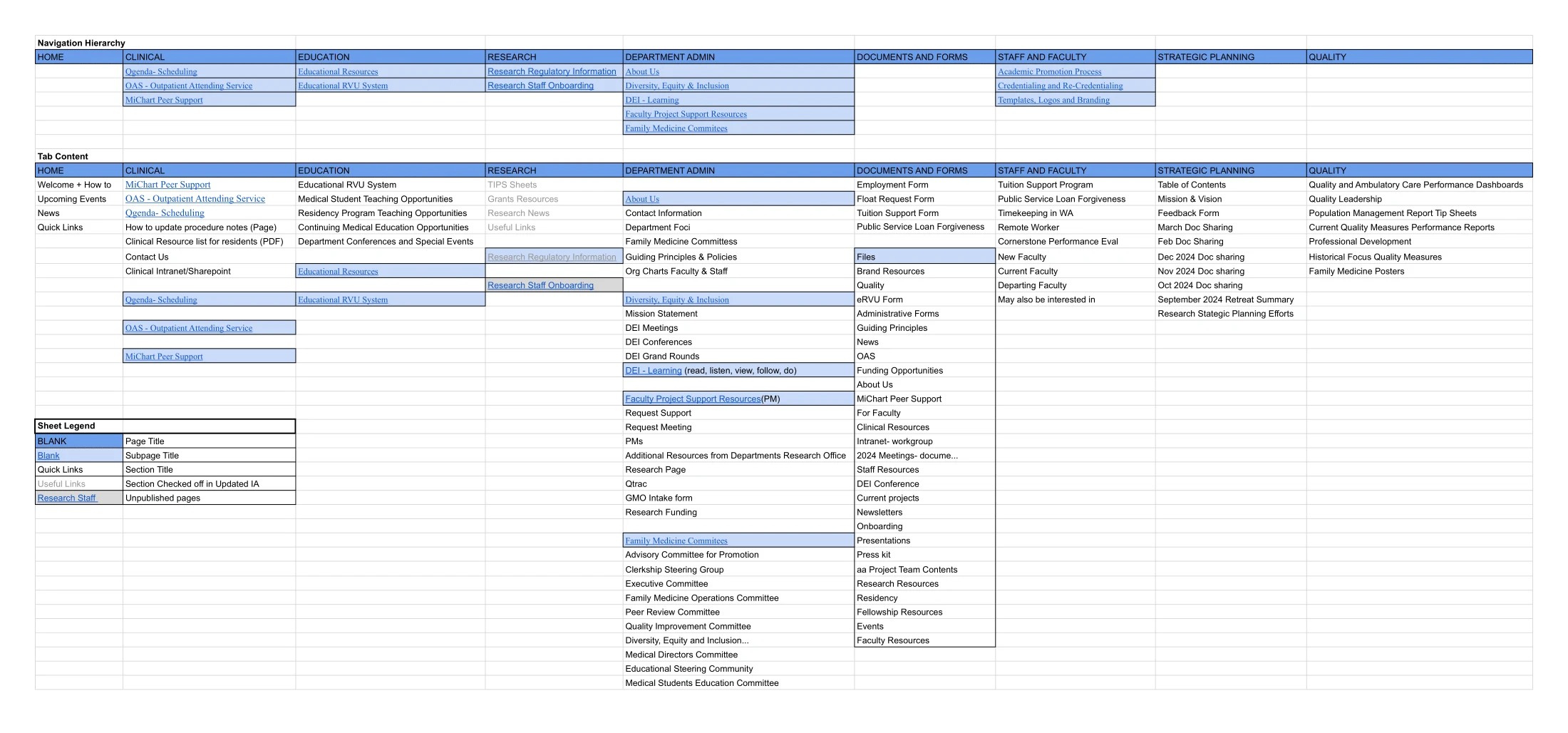
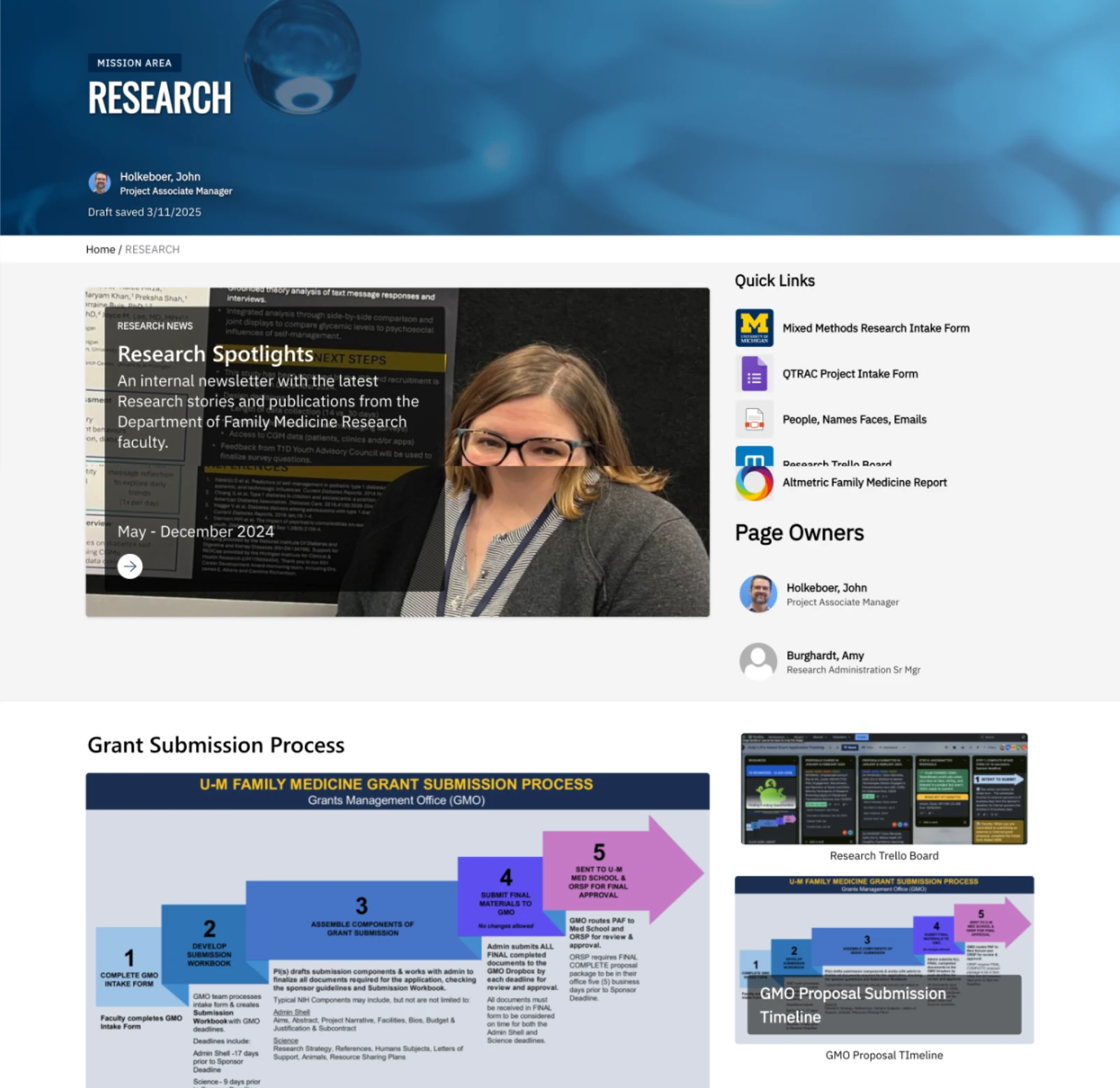
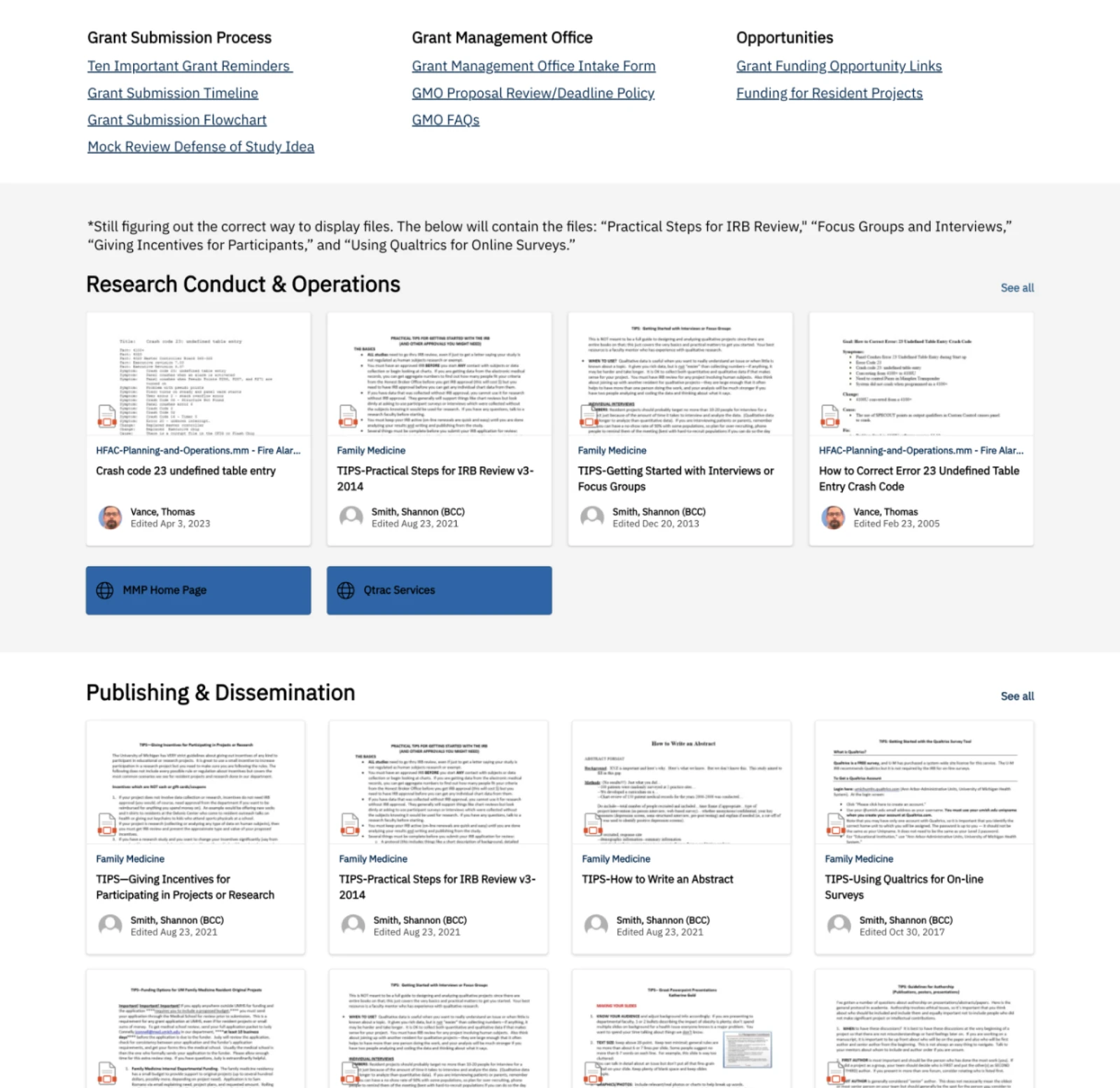
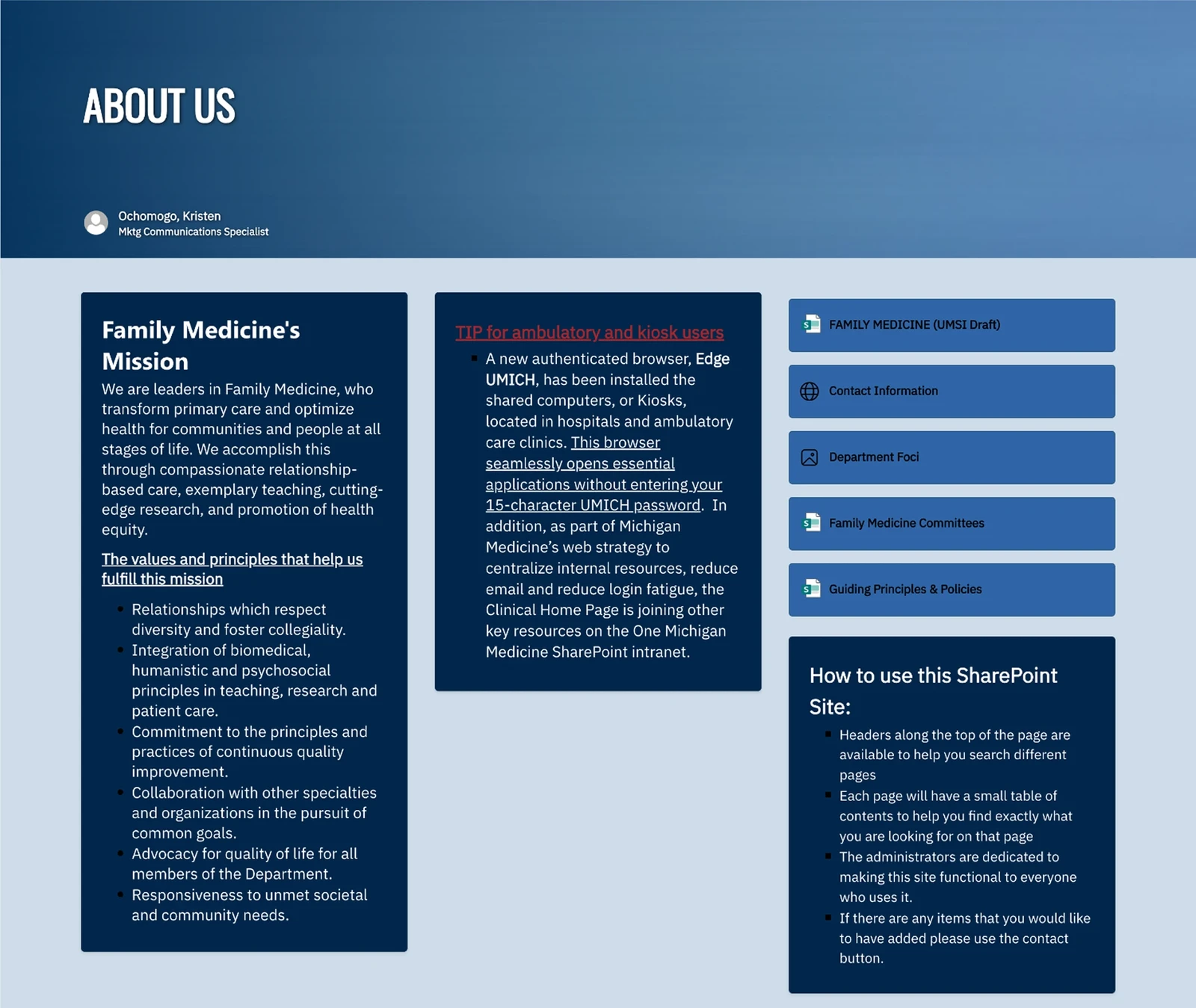
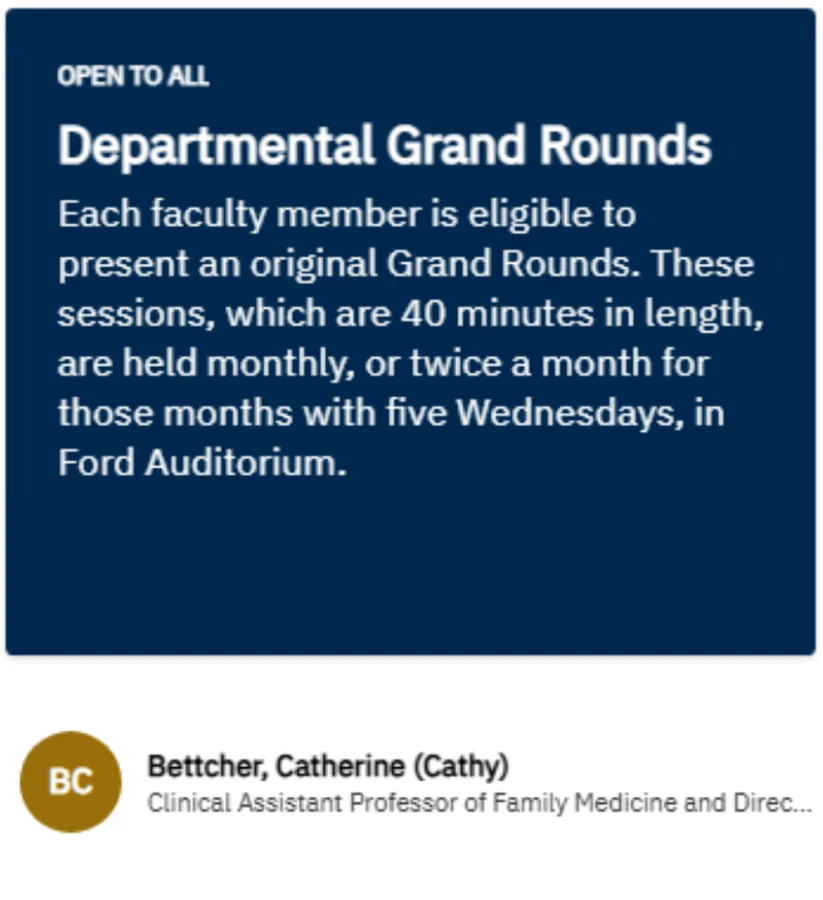
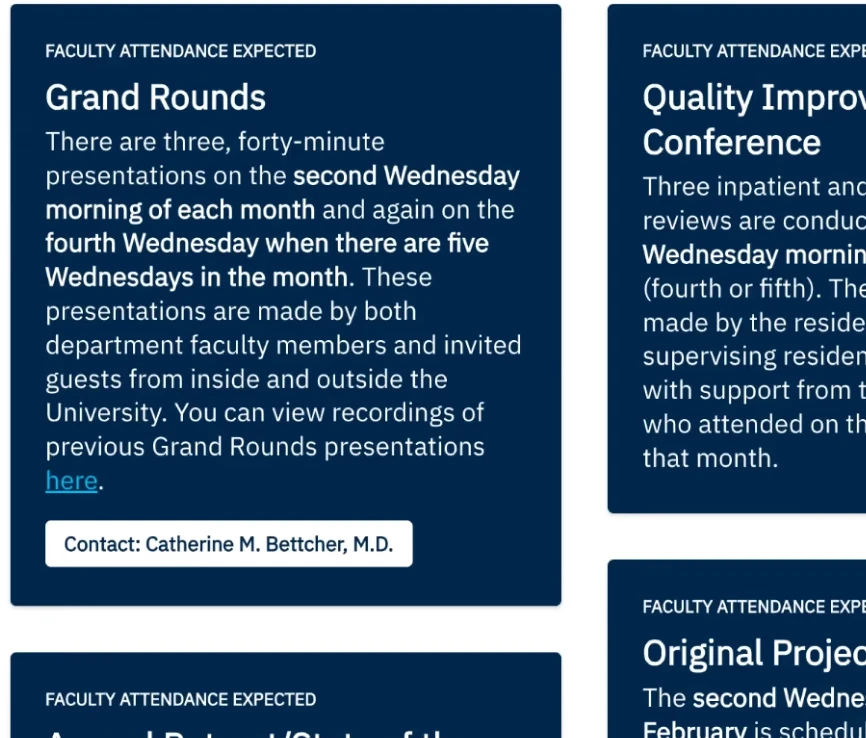
We skipped wireframes and built mid-fidelity pages directly in SharePoint, so feasibility and user feedback arrived together. I took the navigation bar and the research section first and used them to set the standard - hierarchy, card patterns, quick links, page owners - and the team carried it across every mission area. Research was the heaviest page on the site; if the pattern held there, it would hold anywhere.
Testing, twice
[06]We tested the live pages in two rounds. The first went back to admin and the most engaged users with the generative sessions' topics, to show progress to the people who would carry the site and to catch what we had missed.
The department's issued mice had fidgety scroll wheels, so people preferred short subpages to long ones. A physical constraint no survey would have found, and one that settled an argument about page length.
It also caught a flaw in our own protocol: some questions had been written to expose problems that no longer existed, so a task could pass without telling us anything. We rewrote them.
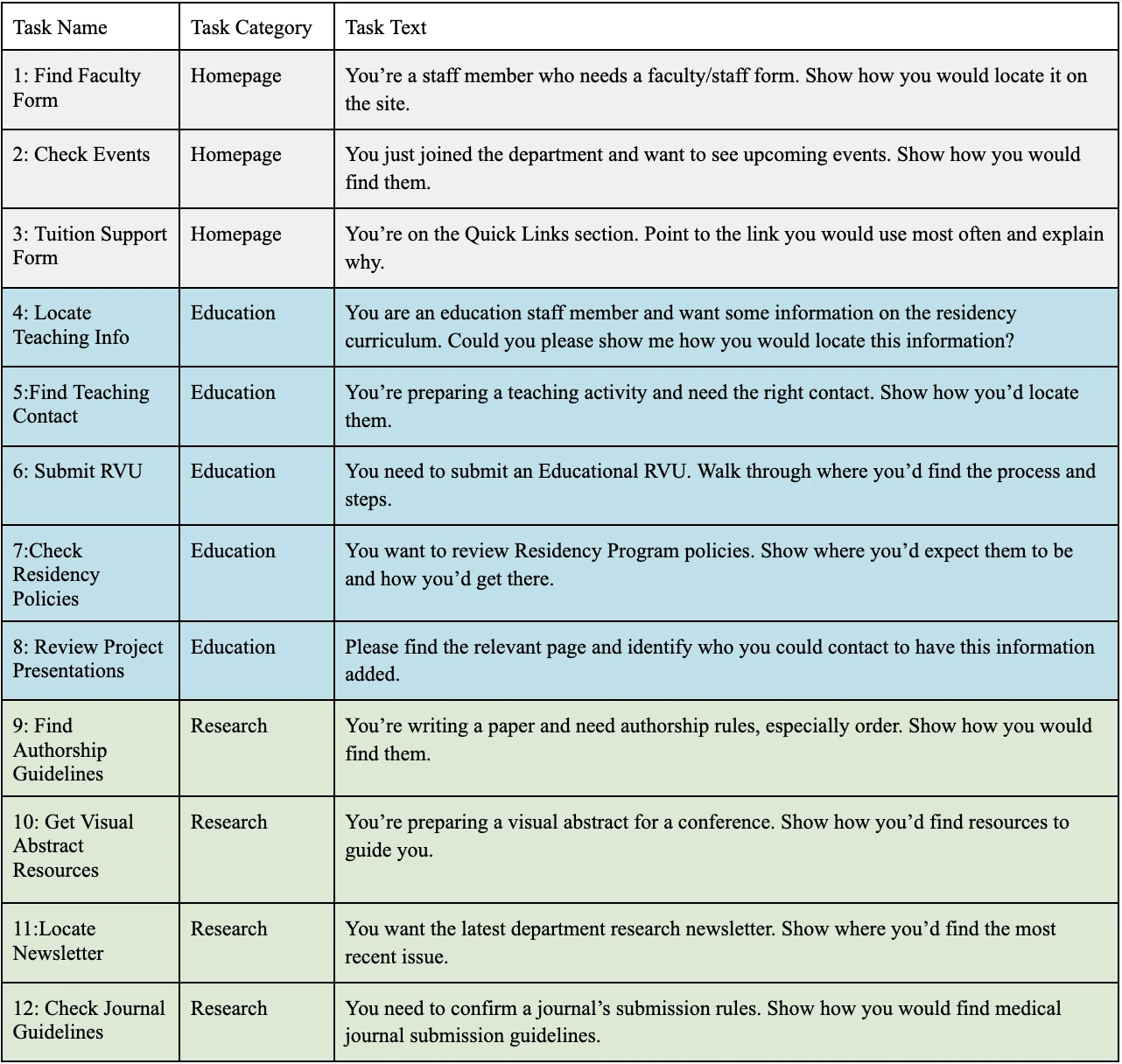
The second round brought new participants and a measured protocol: thirteen tasks across administration, education and research, scored on success and erroneous clicks.
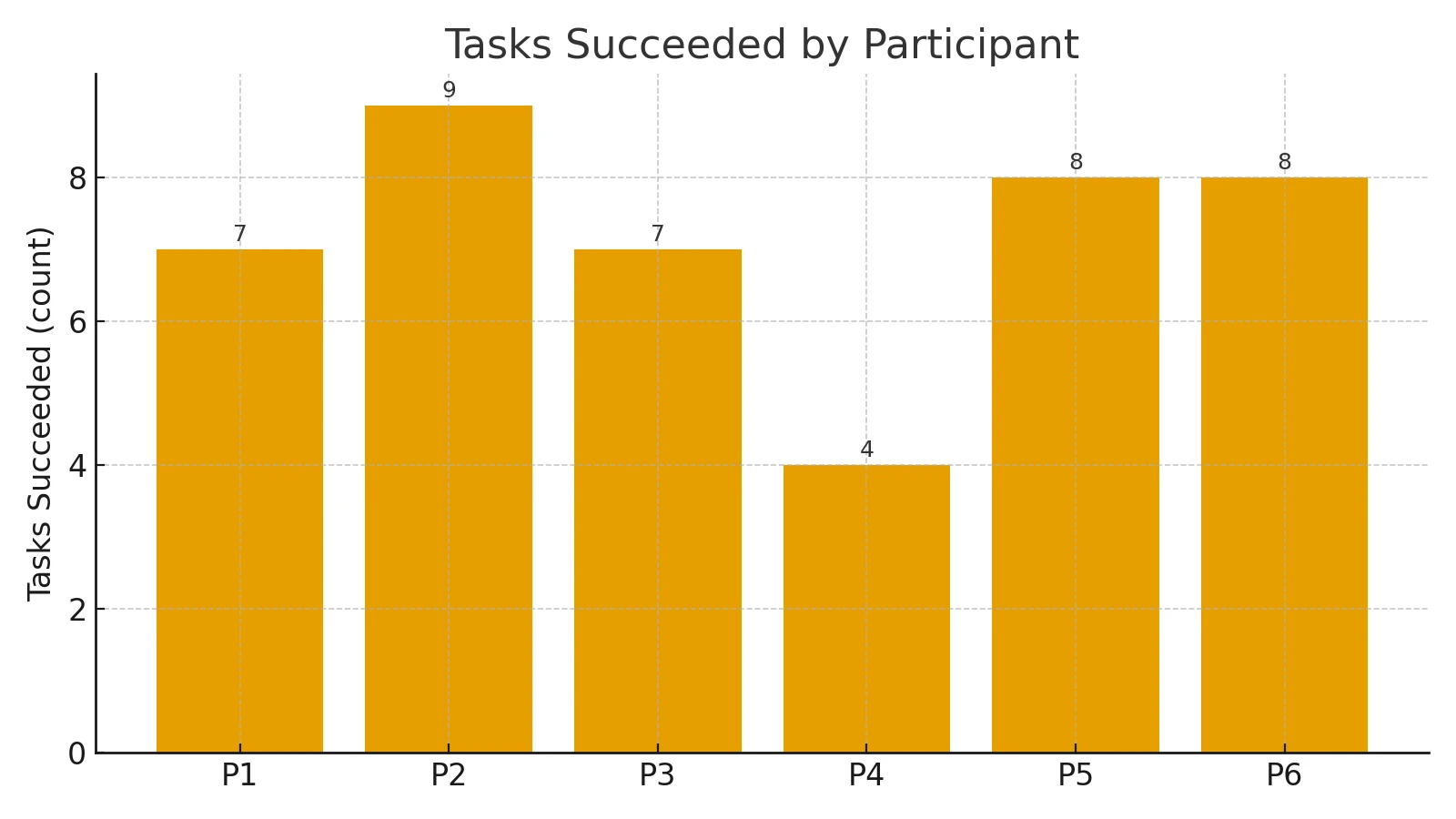
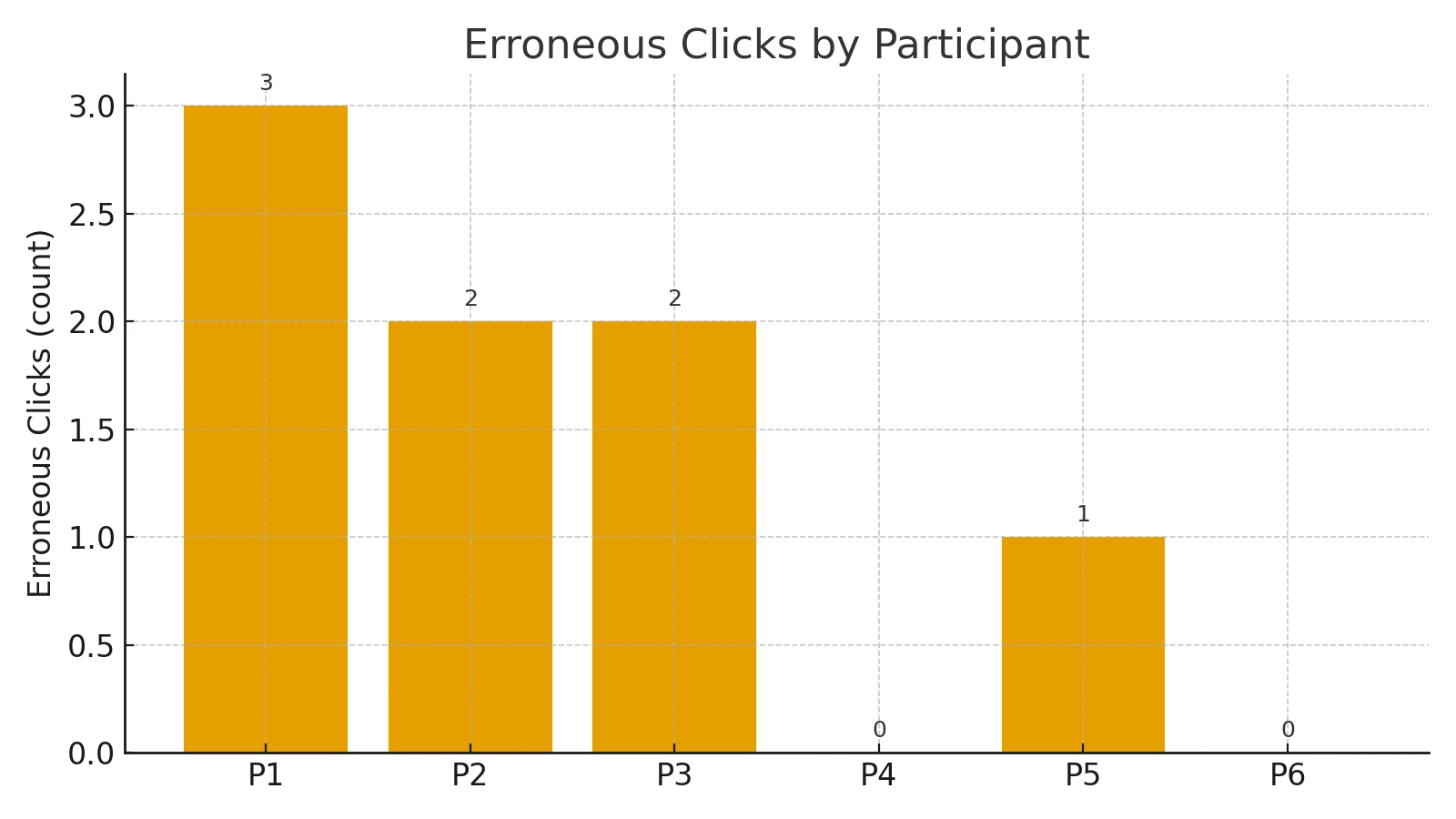
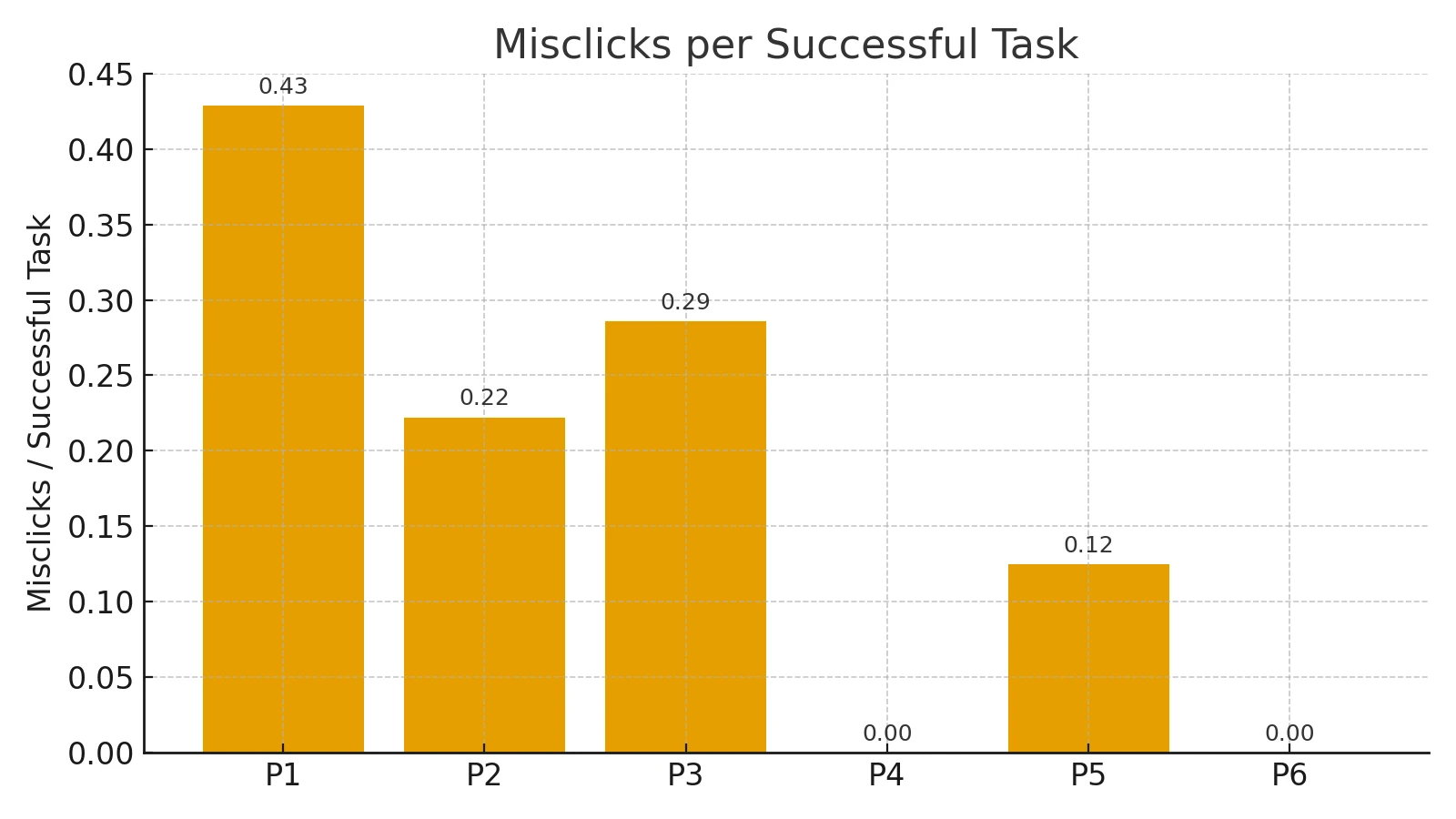
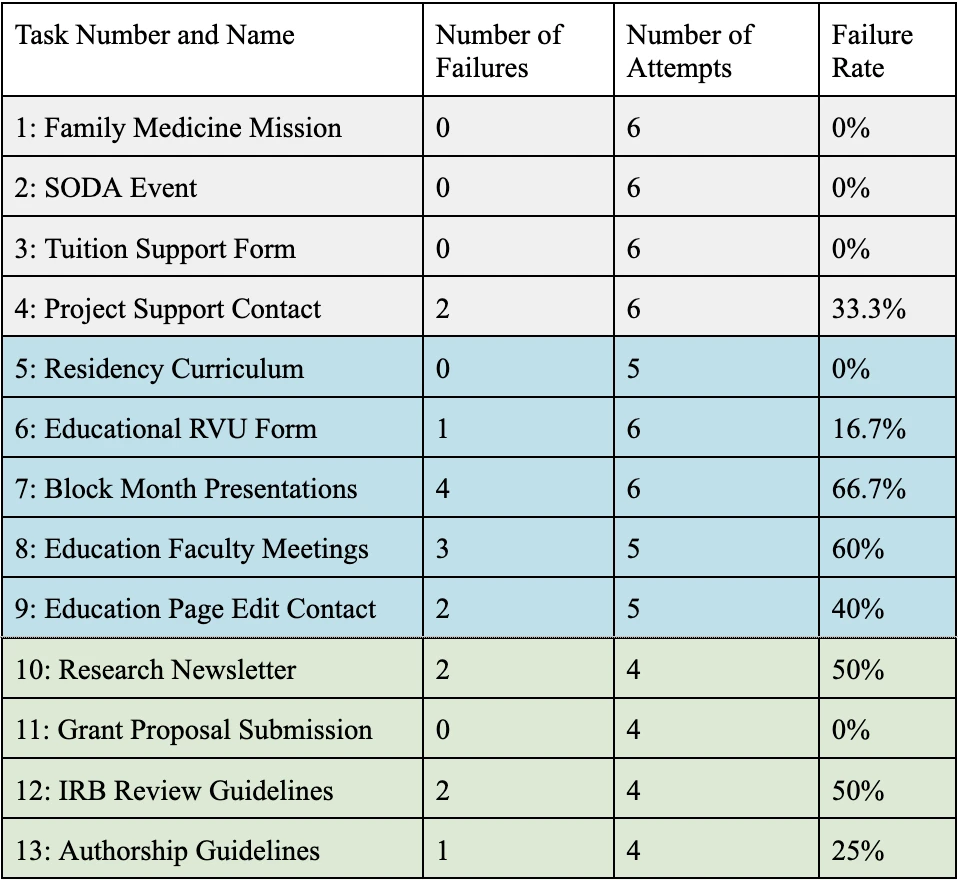
- No failures on admin basics or the visible research resources.
- Some friction on project support contact, the educational RVU form and authorship guidelines.
- Consistent breakdowns on tasks 7 and 8, both education, at 60–67% failure: people expected "presentations" under presentations and meetings, and faculty apart from residency.
The failures were entry-point problems, not comprehension problems: misleading labels, faculty and residency blurred together, shallow sub-navigation. We relabelled the education pages in users' words, added role-based entry points and sub-navigation, cross-linked so every destination had two paths, aligned page and file names with the terms people search for, and added onboarding tips.
The scores still came in under the acceptance criteria we had set, for two reasons we could see. The pages were drafts, and moving between draft and published pages confused people the design had not. And after every task participants reached for the navigation bar, ready to move on, done or not. Shipping fixed the first. The second was the mental model the research had found, now working for the site instead of against it.
The clearest evidence is the flows. Both diagrams in each pair are drawn to one scale, so the shortening is real rather than apparent.
Flow 1 · finding a form for the first time · before

After

Flow 2 · verifying a policy and requesting an update · before

After

Flow 3 · starting a departmental project · before

After

The site
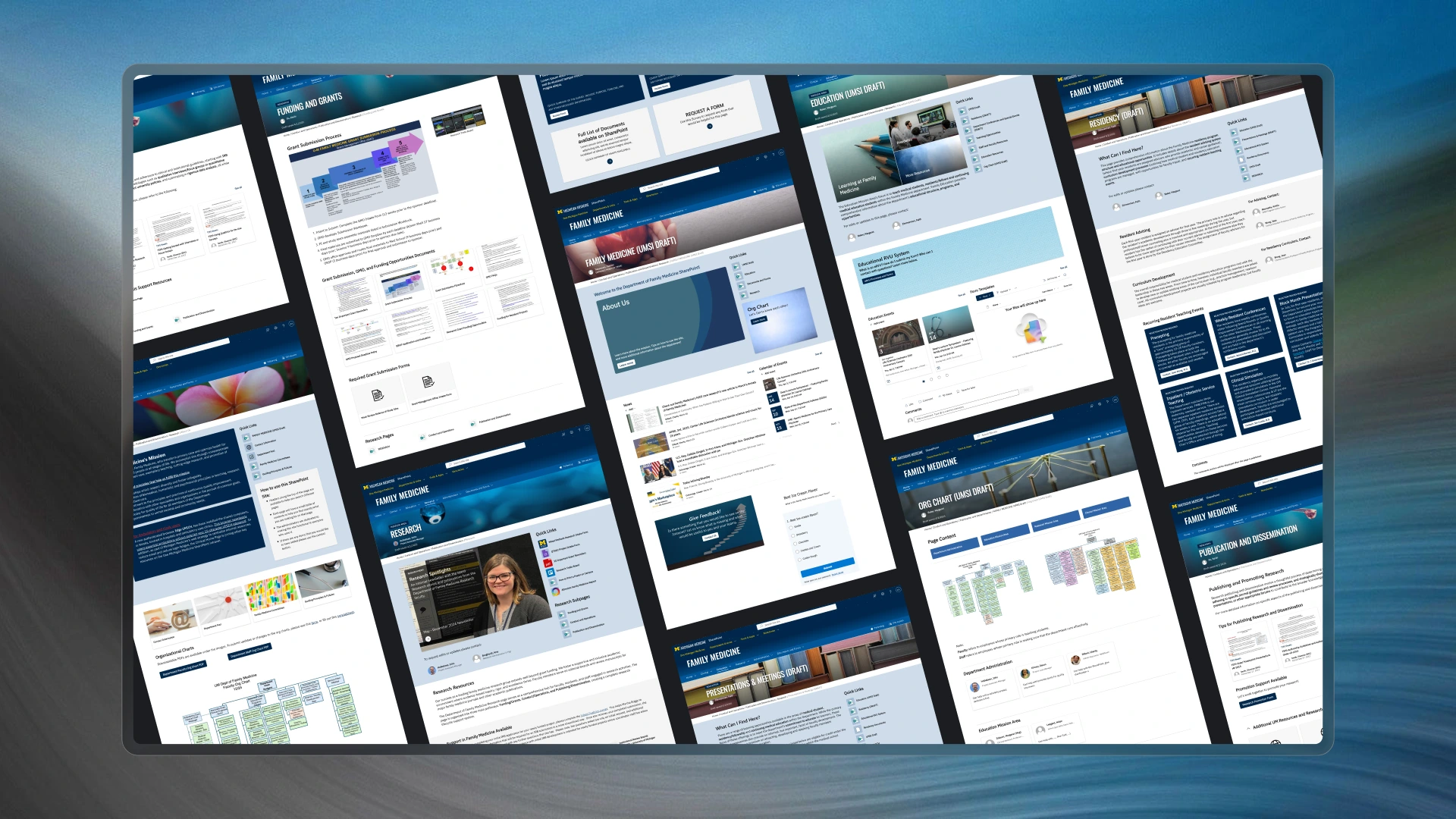
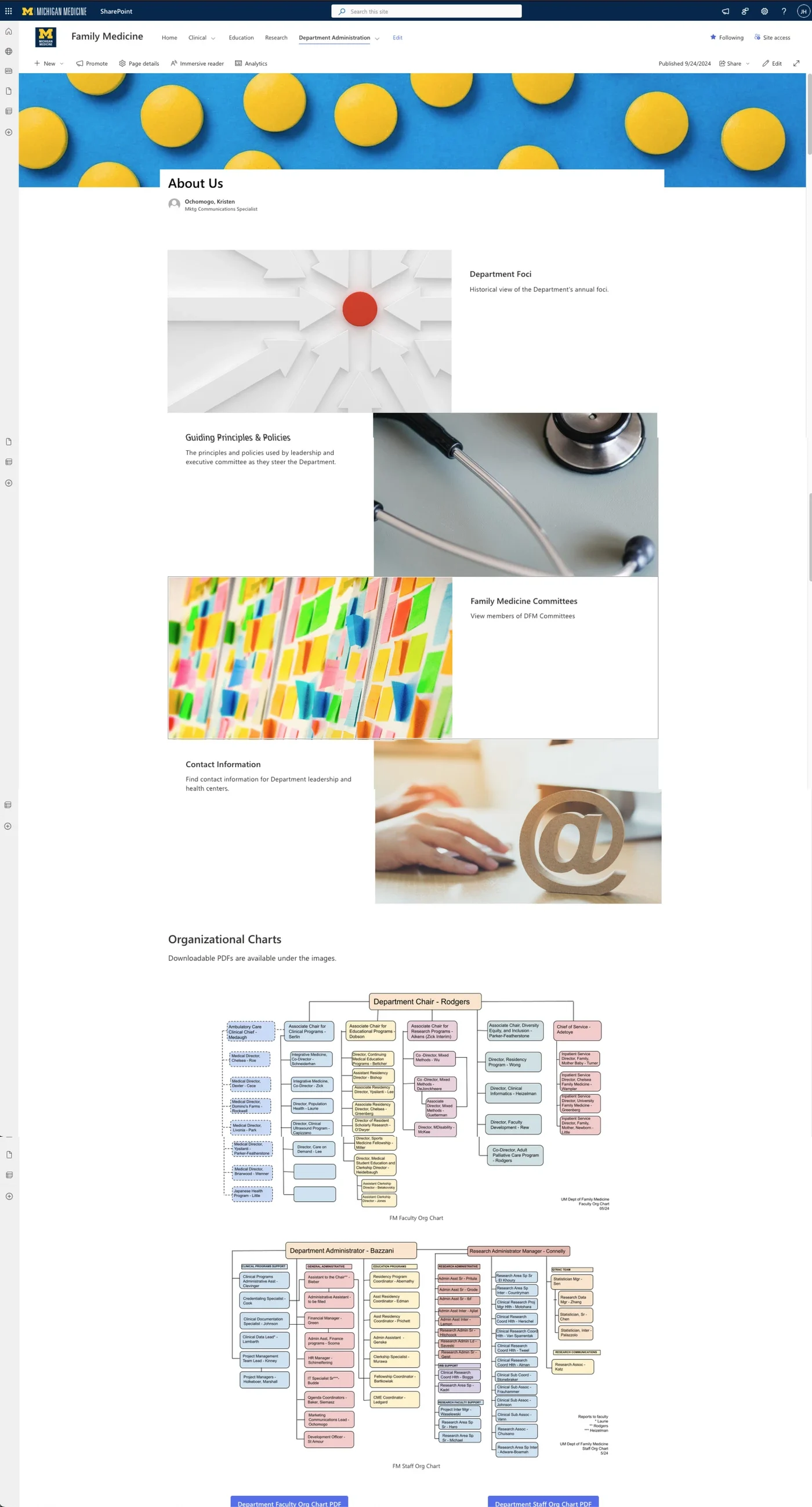
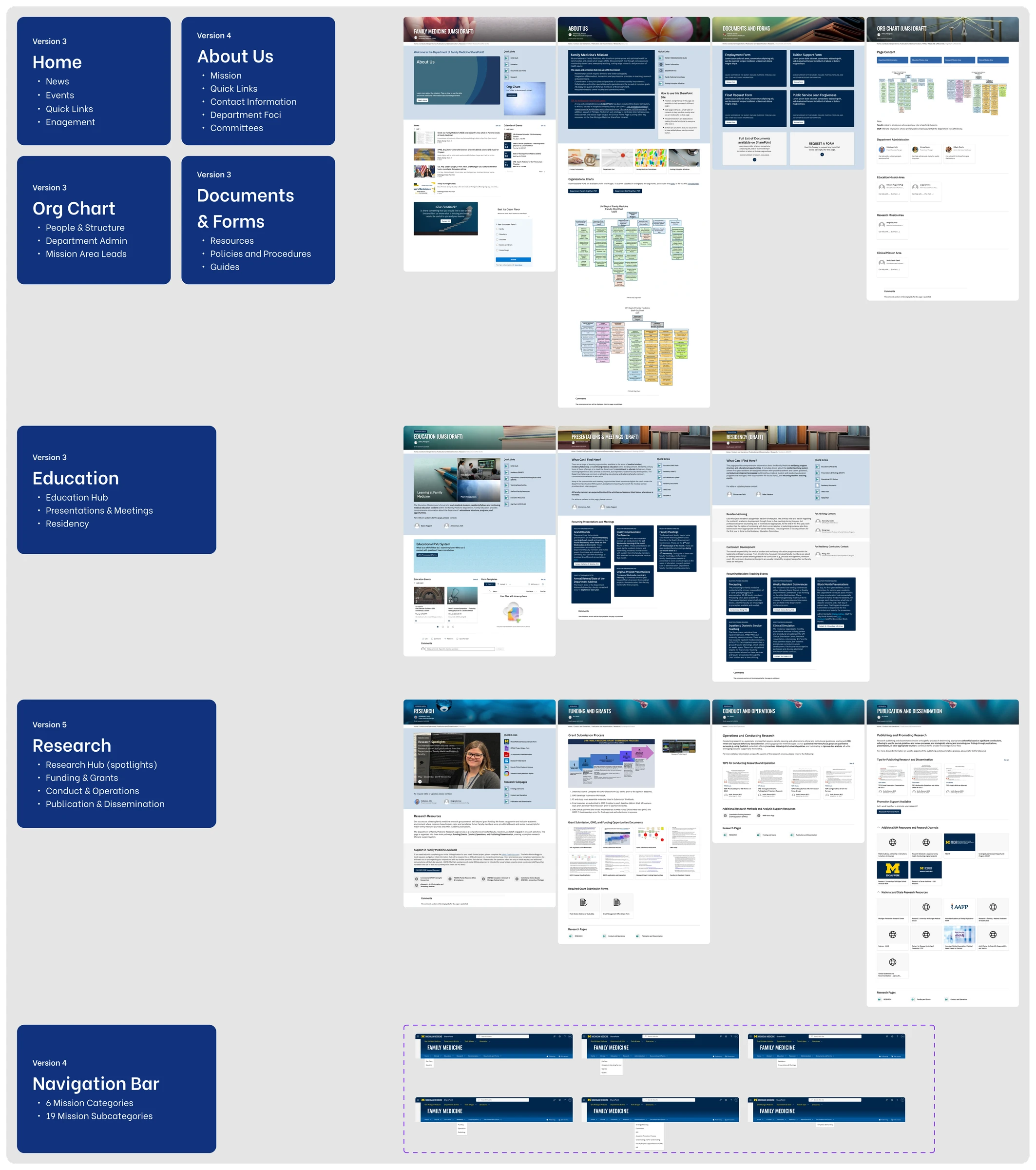
[07]Nine tabs became six: home, clinical, education, research, administration, and documents and forms. Under them, nineteen subpages, each opening with what you will find here, named page owners, quick links to the tasks people said they do most, and an org chart that answers who to ask. Twelve key pages were overhauled, and clicks per flow fell to three to five.
The handoff
[08]The goal we set ourselves at the start was a transition that would not need us. Three things the department had said shaped what that meant.
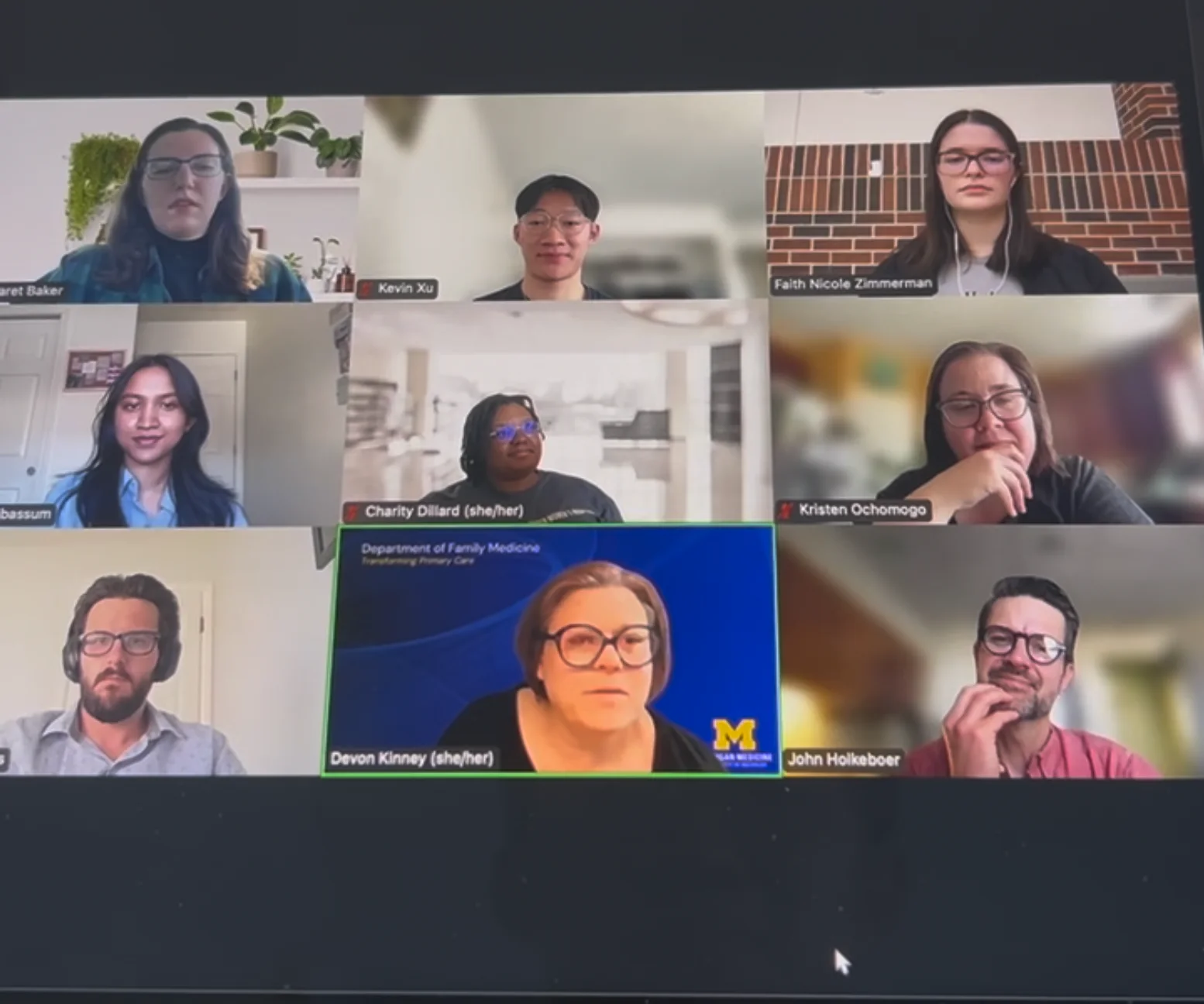
Everything was built to be replicated without us. One deliverable exists because of a research finding rather than a checklist: participants said they would not self-study, so the quick-start guides map each role's most common old task to its new location, and the governance guide names a content manager for every mission area with a review schedule, so content decay has an owner before it starts. Administration also got a presentation of what their own department had told us, so nothing we heard stayed with us.
The final report went to fifteen people: administration, management and the implementation team.
What I learned
[09]The brief said usability and the problem was information. Under that it was change management: a small team asked to keep a large, dated structure current, and a department with no reason to look. Being willing to say so, with the evidence to back it, is what turned a redesign into a migration the department kept.
Research is exposure. Framing the project on acquisition, activation and referral made every session part of the launch, and the focus group did more for adoption than any feature we shipped. Presence and transparency were the change management.
Test the test. Questions written against the old site's failures passed on the new one without saying anything, and draft pages produced confusion the design had not. Set the acceptance criteria first, then read a miss for what it is actually measuring.
Design for after you leave. The templates, the specification with its reasons, the IA table with old and new side by side, and the guides written from what people said they would not learn on their own are what the client thanked us for. They also cost less than a second engagement would have.