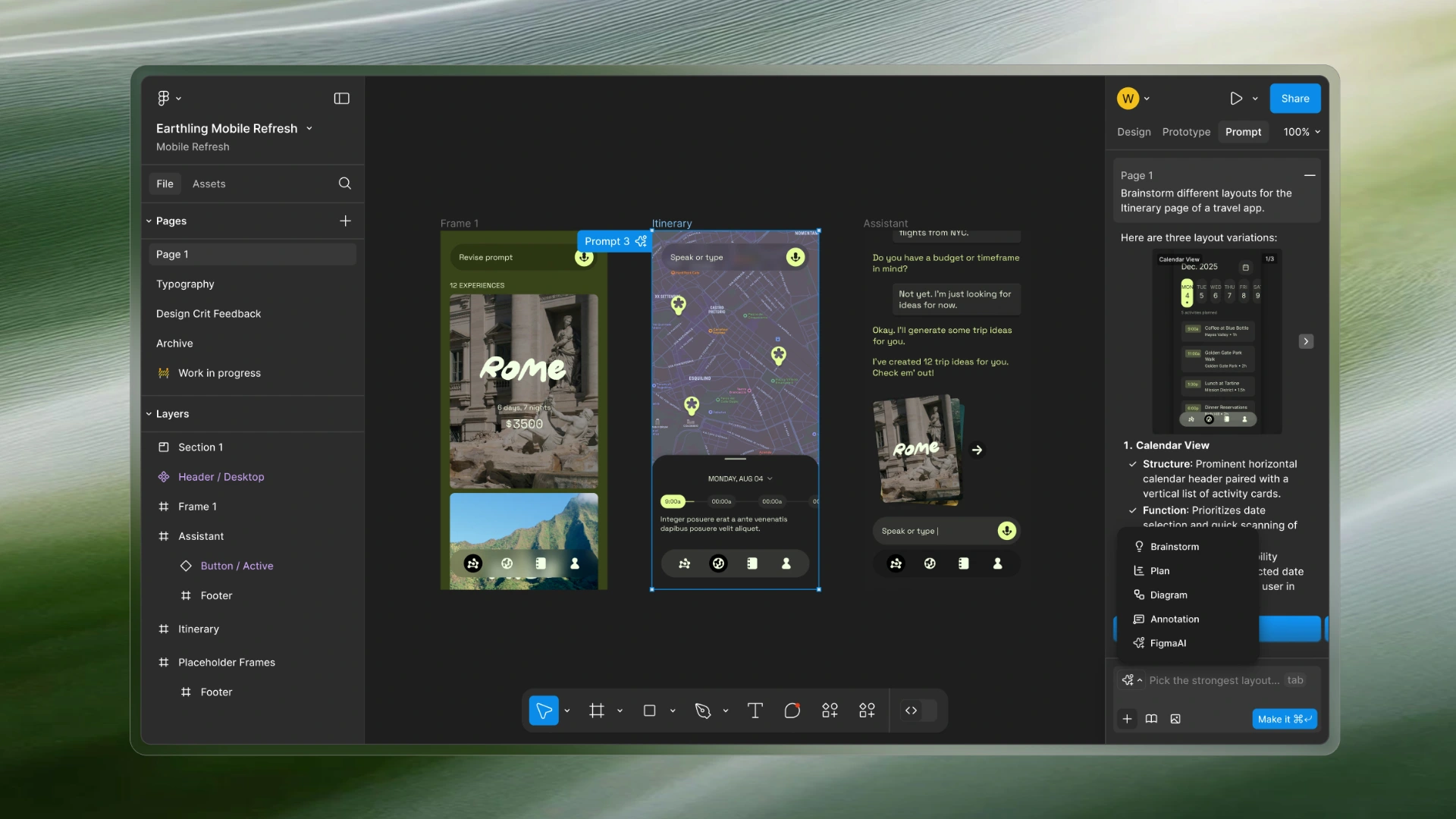
FigmaAI: In-Canvas Collaborator
[01]The proposal...AI in a design tool, approached from the designer's side of the desk. Prompting becomes a mode of the editor, so the AI reads the selection it was asked about, shows the reason for every change, and leaves a diff that can be undone. An unsolicited product, design and content-design proposal, written as the final for a UX writing course.
In three lines...
A whiteboard first
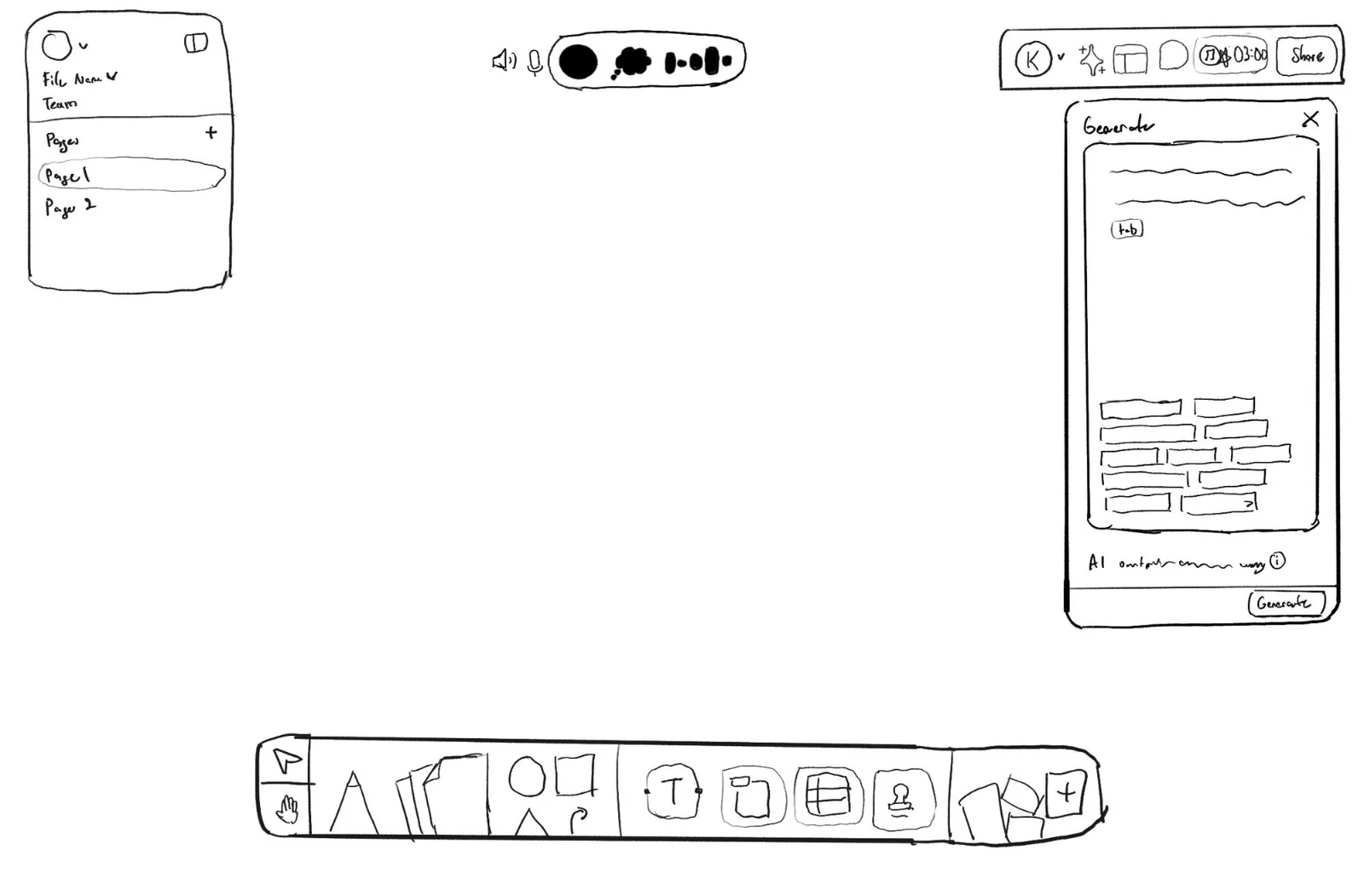
[02]The proposal started as WhiteboardAI: a physical whiteboard with an assistant in it, for brainstorming in a room without the room stopping to type. The first sketch has a page list on the left, a voice pill at the top that listens and thinks, and a Generate panel on the right that fills the board with options.
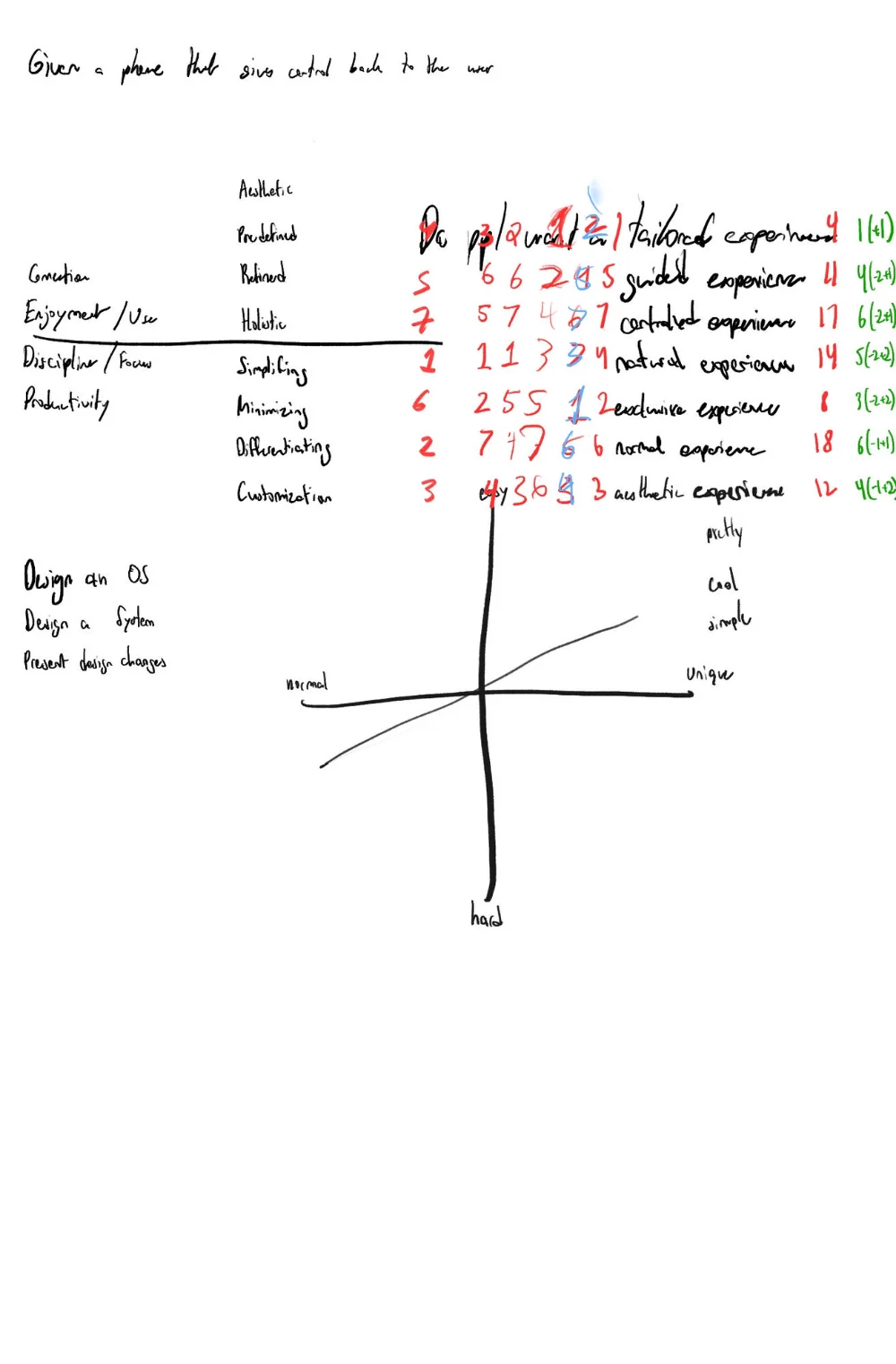
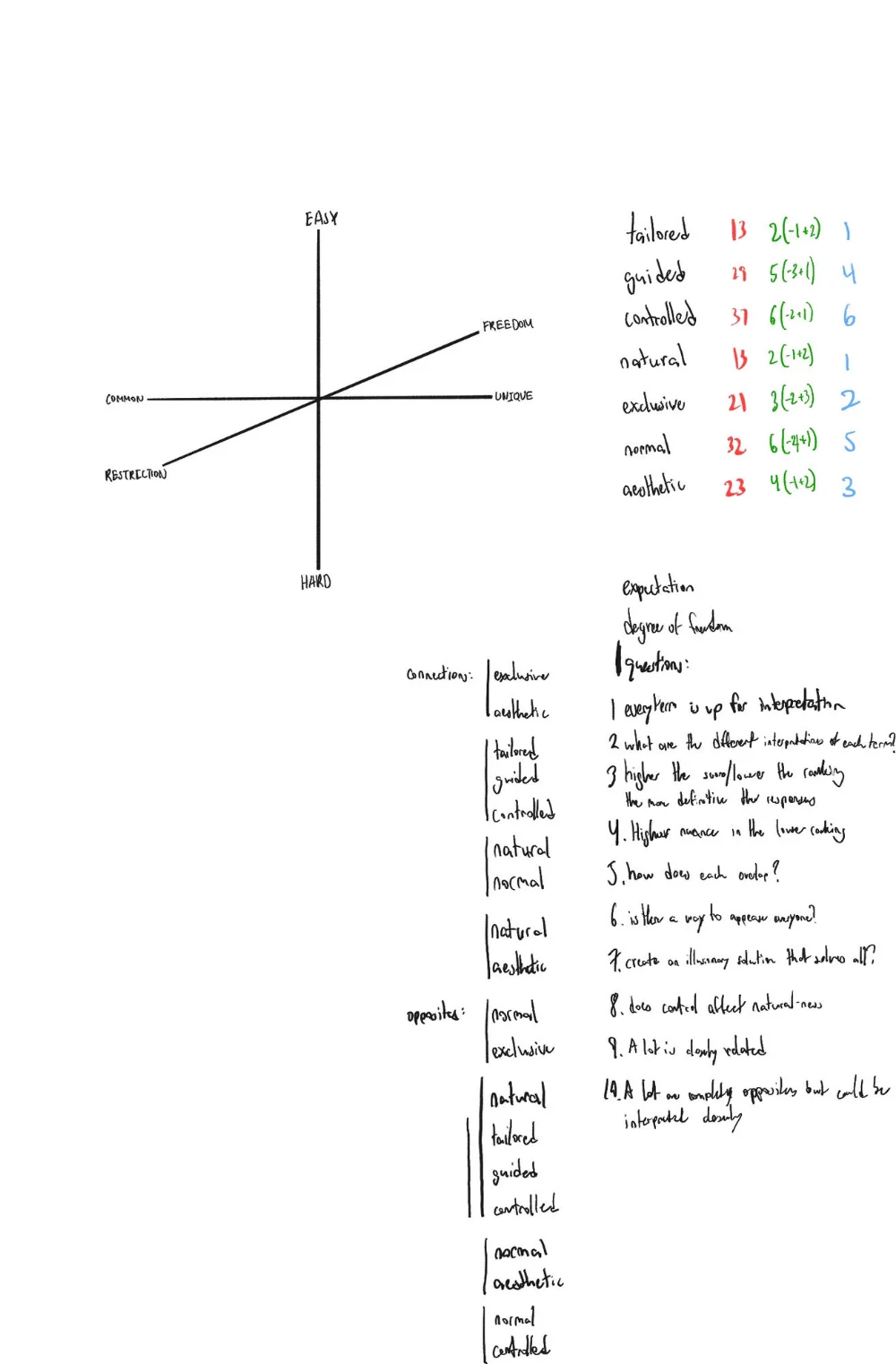
I took it through the front half of a design process. A scan of the room-scale competitors, Miro, Mural, Stormboard and FigJam. A MoSCoW pass on the features. A prioritisation matrix and a MaxDiff survey on how people wanted to collaborate with AI, then conversations with people building AI products to check the value proposition. The features were the easy part. The technology had to feel magical, the assistance had to help without interrupting the creative flow, and hardware plus software had to cost less than anyone would pay.
Two things ended it. FigJam already was the whiteboard I was drawing, with an AI in it, and what I was really proposing was a better FigJam AI. And I had never asked whether anyone would buy a whiteboard to get one. More work on the idea had diminishing returns, and I said so.
The push came from a take-home for a product design role: a brief for a phone that gives control back to the user. Scoring seven kinds of experience against what people said they wanted put tailored and natural first and controlled last, and the tool I used every day was doing the opposite with its AI.
So I pivoted: keep the research, drop the hardware, and redesign the AI inside the tool designers already live in. The rest of this page is that redesign.
No market or business research on WhiteboardAI, and no usability test of the mockups below with working designers. The proposal argues from public feedback, a persona built from it, and my own use of the tools.
The problem
[03]The symptom...Collaboration is Figma's main selling point, and its AI products sit outside it. Figma Make lives apart from Figma Design, generates screens that cannot come back as editable layers, and the community's verdict on the current implementation is that it "feels like an embedded Claude with reskinned UI."
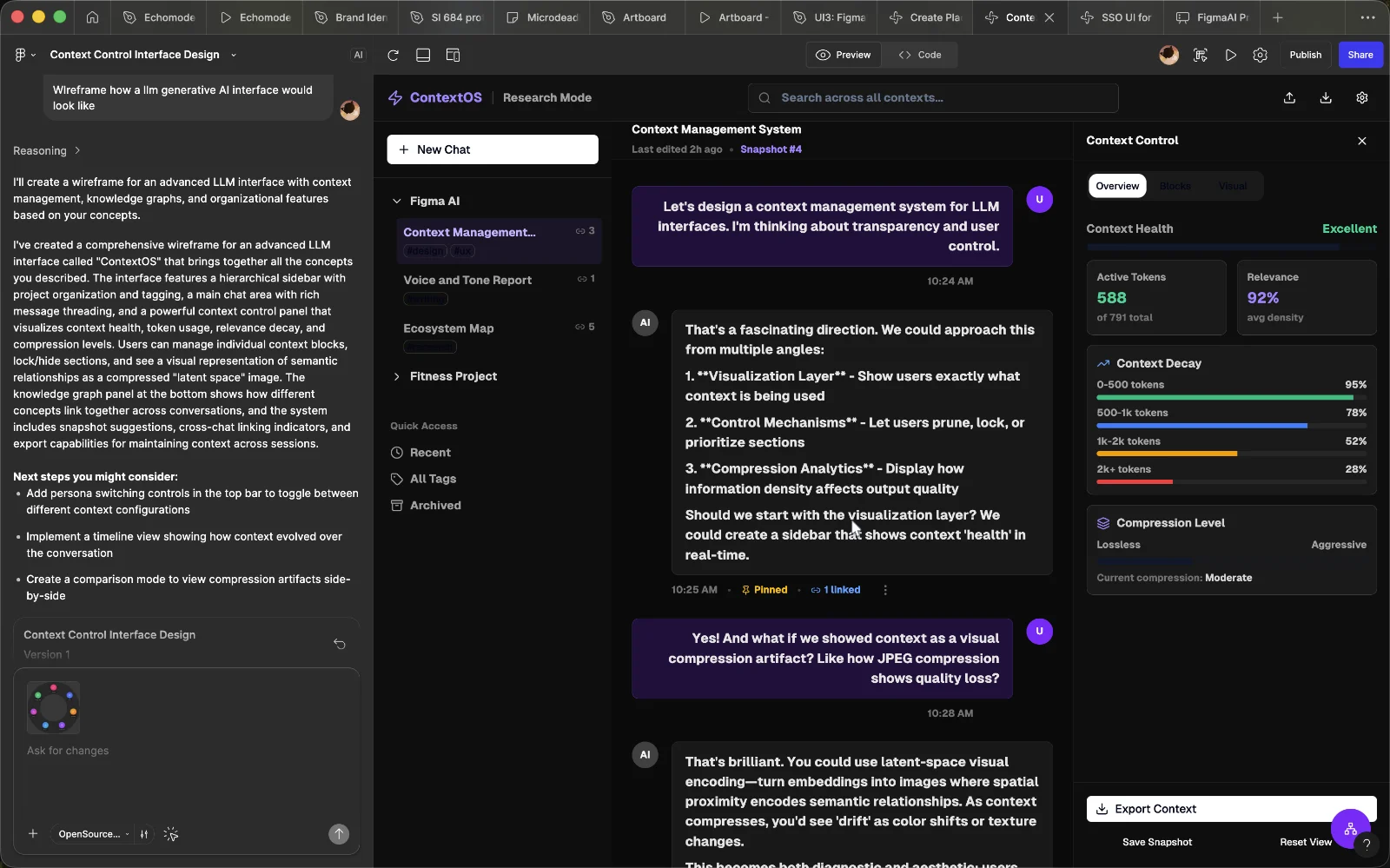
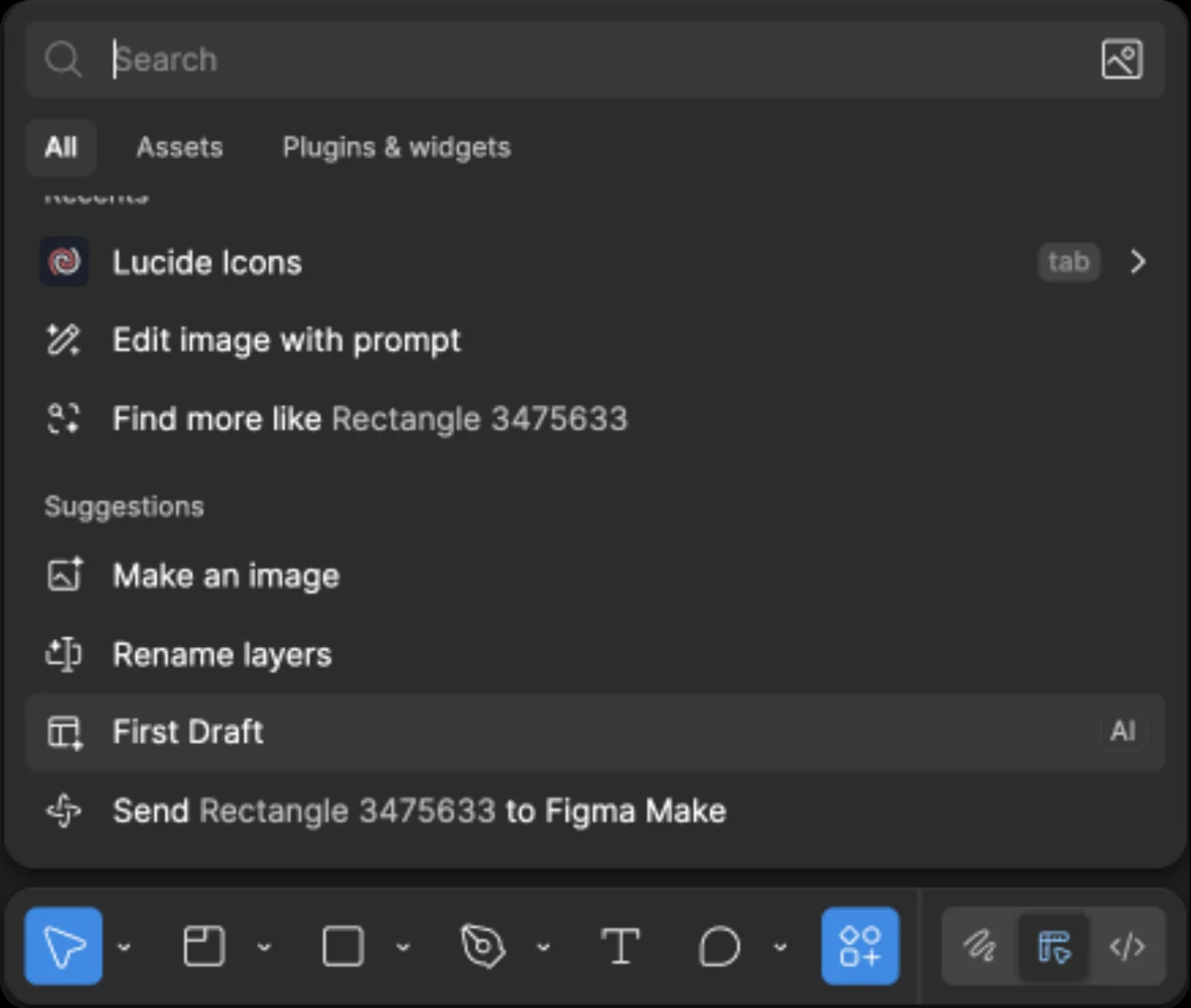
The output compounds it. The response above announces a comprehensive wireframe, lists what it contains, and never says why any of it is there. The designer can already see what was made. What they need is the reasoning, and there is none to evaluate or push back on. Inside Figma Design, AI is a suggestions list in the search menu: useful for renaming layers, and not much more.
In forums, reviews and comments, the same six complaints kept coming back.
How might we...
Make AI work in the canvas, with real round-trip edits, context carried from selection to action, reasons and diffs shown by default, and one-click undo, without pulling designers out of their flow?
Context, and what AI is good at
[04]The market...Figma's leadership calls AI a platform shift on the order of cloud or multiplayer (Kossnick, 2025), and since the IPO the push has leaned toward non-designers and investors: more products, and prizes and competitions to bring people to Make. The strategy only works if the experience fits how teams already design, review and hand off.
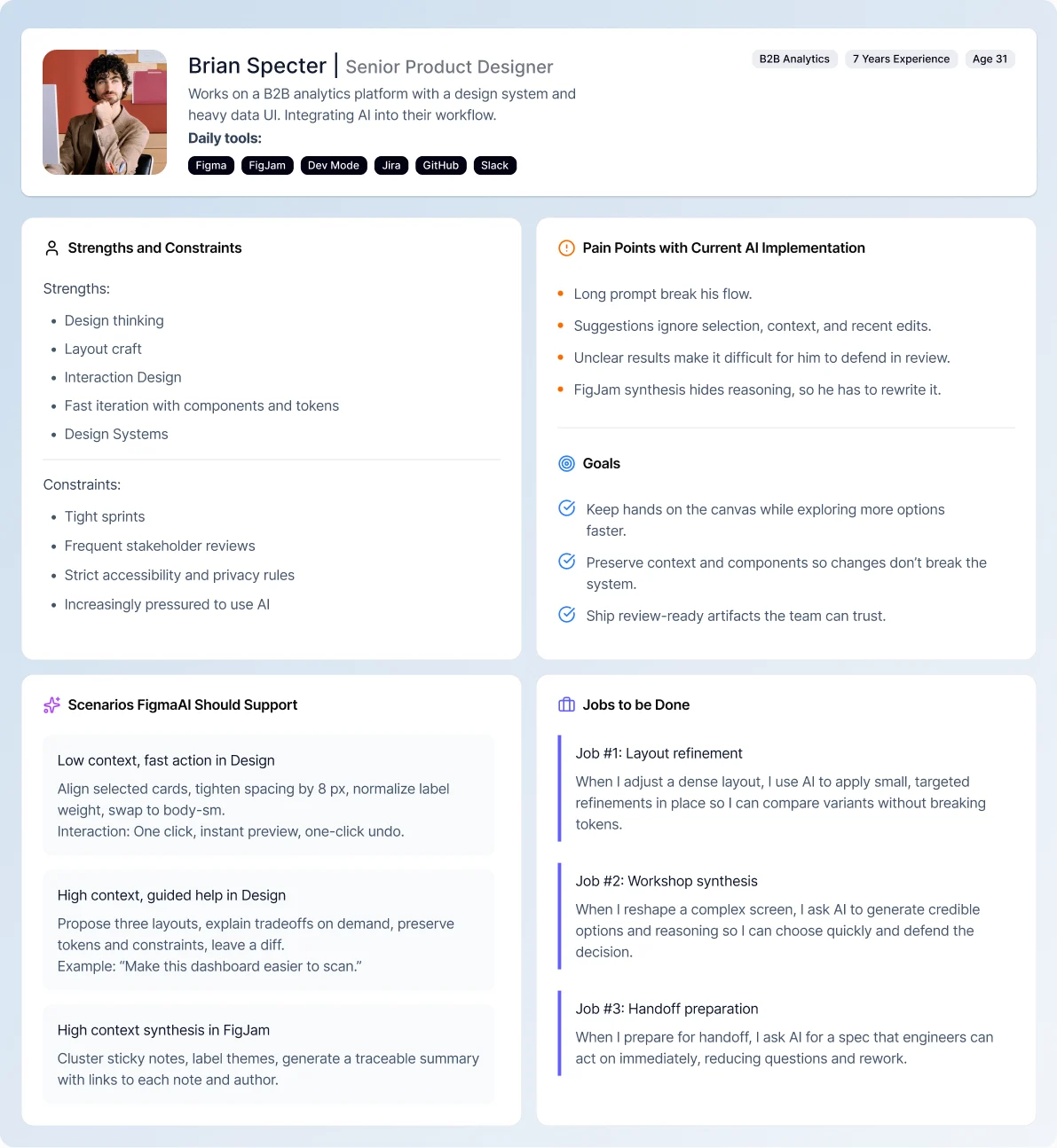
The designer...Brian Specter, a senior product designer on a B2B analytics platform, built from the feedback above: seven years in, fluent in components and tokens, pressured to use AI. Long prompts break his flow. Suggestions ignore his selection and recent edits. Unclear results are hard to defend in review, and FigJam synthesis hides its reasoning, so he rewrites it.
The tool...Before deciding where AI belonged, I walked back through the process I had just been through and asked what it had actually been good for at each step.
AI is strongest where the context is small and the output is easy to check, and weakest where it has to know people or fit into what exists. So the design puts it where the context is smallest, at the selection, and makes every output easy to check.
Prompting as a mode
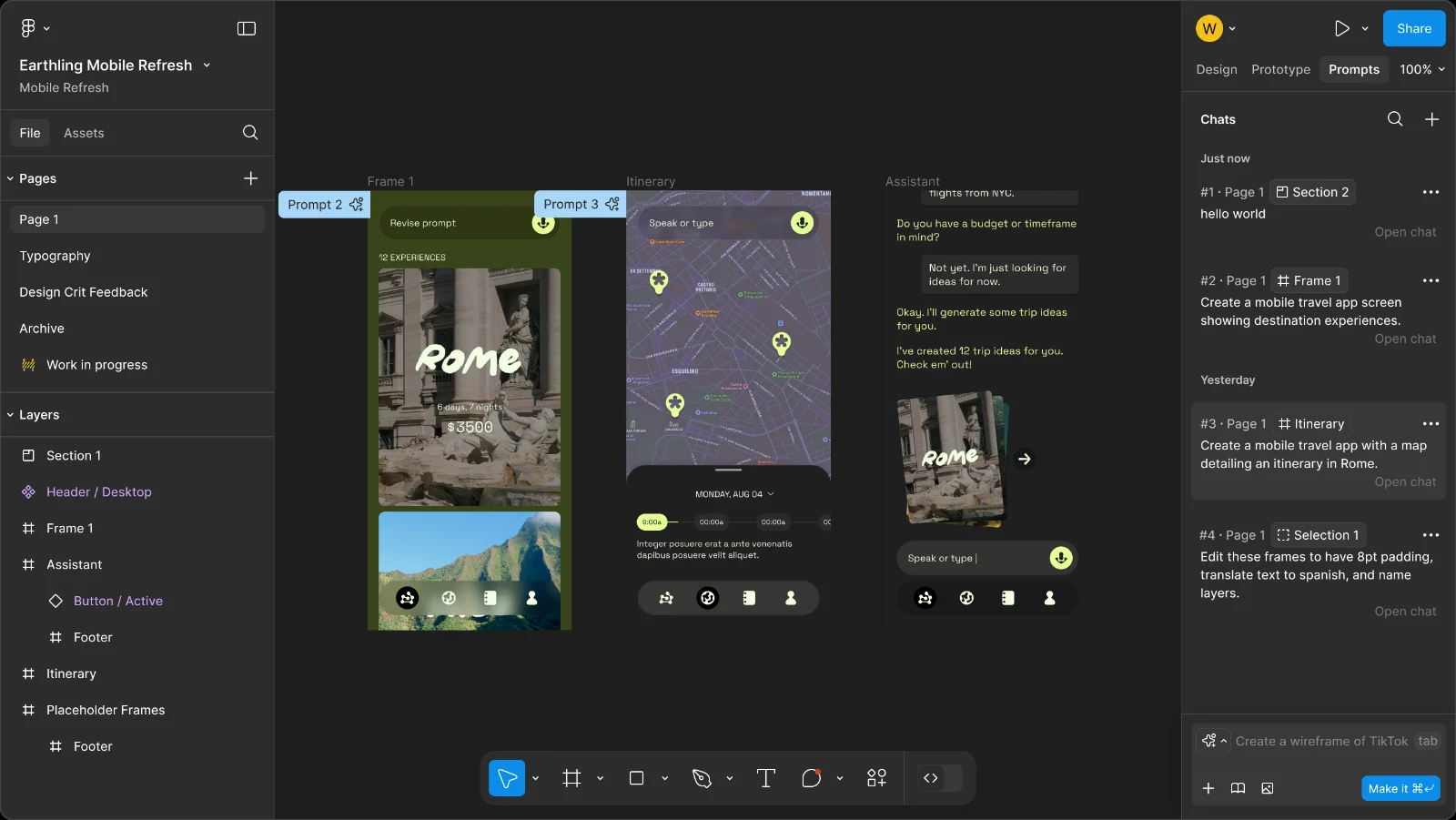
[05]Five priorities, in the order I held them: fit into the editor, improve the AI inside the platform, set it up for collaboration, keep it aware of context, and make it a top-level tool. Five decisions came out of them.
- A Prompts tab beside Design, Prototype and Comment, consistent with how Figma already switches modes.
- Three context states, Frame, Section, Selection, so the output answers the question the selection asked.
- Prompt threads pinned to the canvas, so a prompt is found faster than a frame, with auto-focus.
- Placeholder text becomes a suggested prompt drawn from context, so the empty box already suggests what to ask for.
- Three-click imports for images, libraries, external designs, files and connectors, so context stays specific and the canvas stays clean.
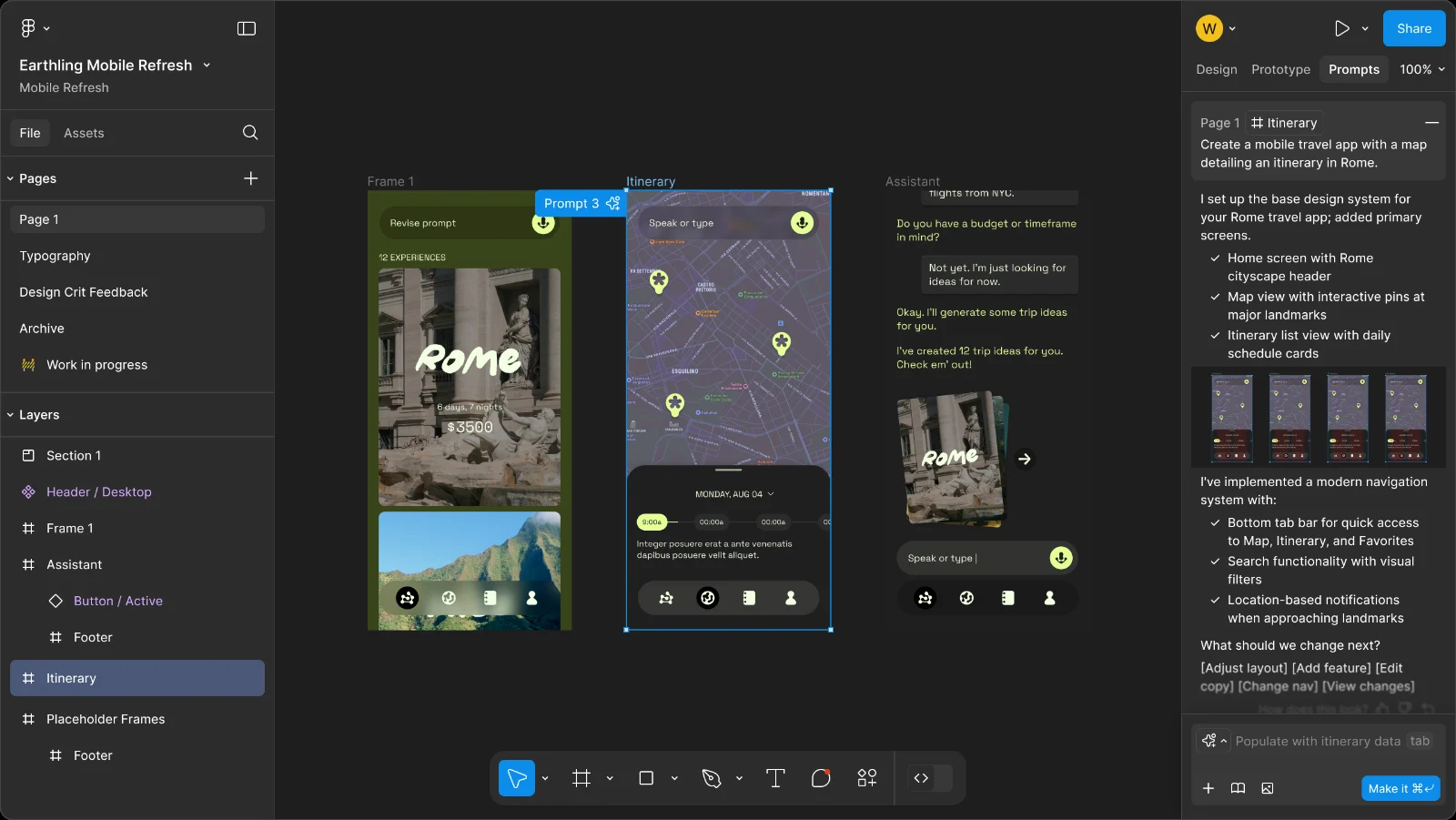
Four modes, four amounts of context
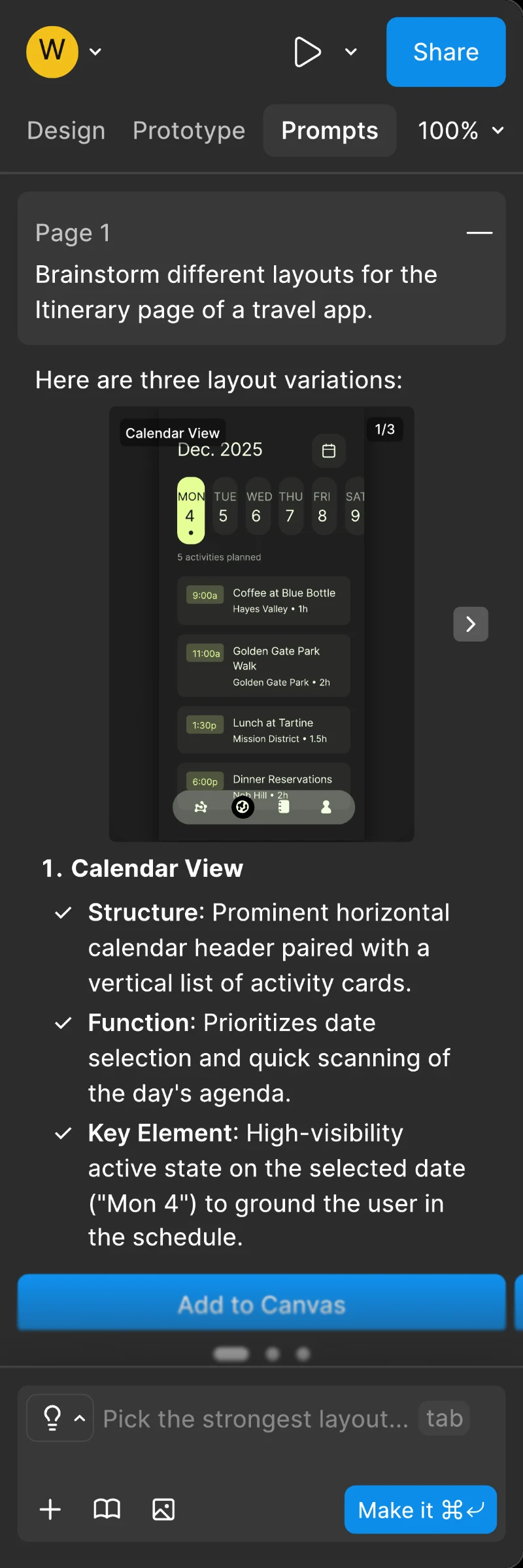
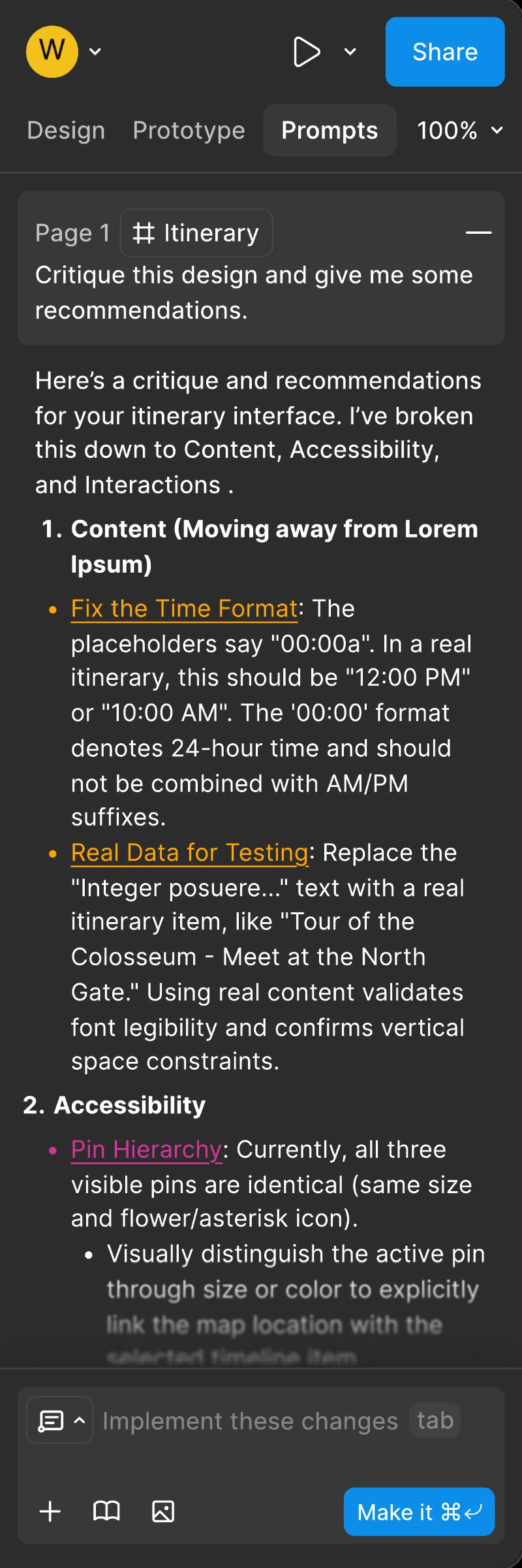
[06]A mode picker on the prompt box declares what kind of help is being asked for, and the shape of the reply scales with how much context the request carries.
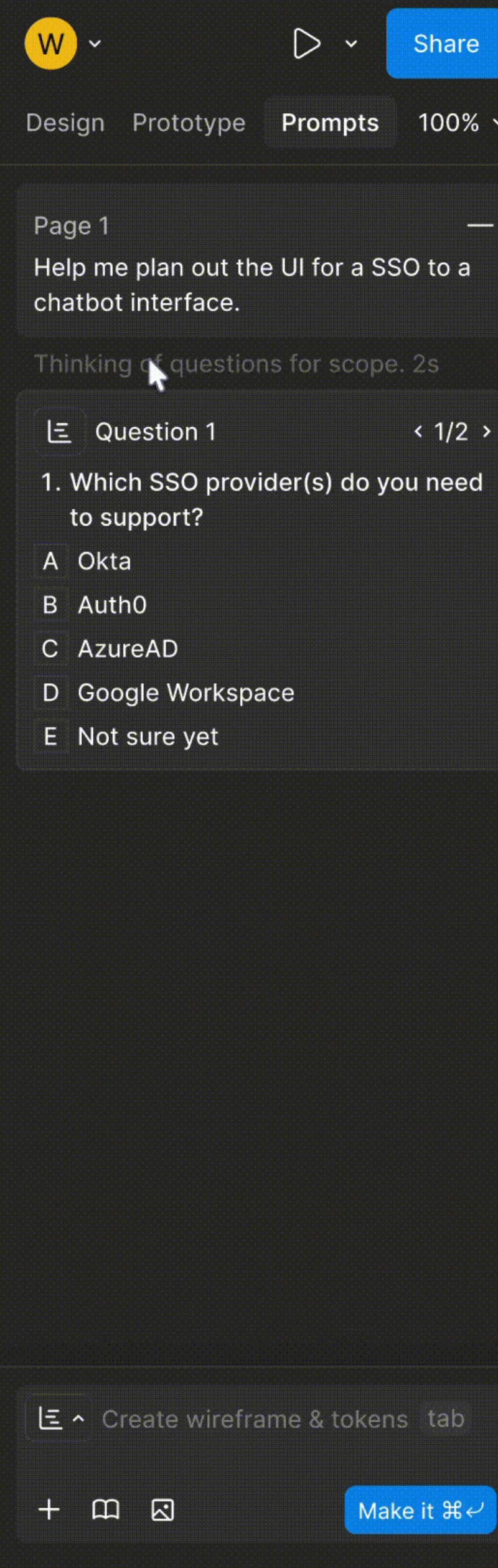
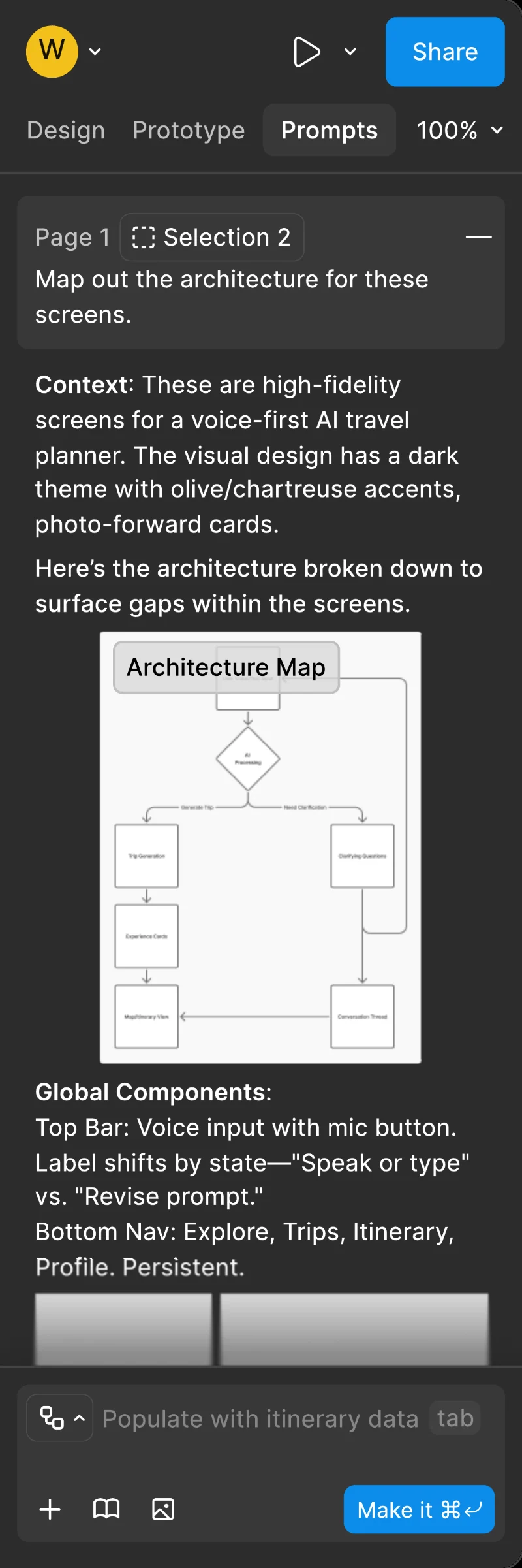
Plan is the one that is easier to watch than to read. Two scoping questions, a to-do card, the wireframe those answers produce, and the first to-do reporting back, in sixteen seconds.
Low context earns a one-line nudge anchored to the selection. High context earns reasoned options with a sentence of rationale each, and for every architectural choice a paired decision and reason, so the designer can evaluate the reasoning and push back on specifics.
A voice that can be audited
[07]The content design does more work than the UI. It is a voice and tone system for AI copy built on four principles, clear, context-aware, neutral and auditable: name the object, the action and the effect; confirm what changed; offer one next step. No certainty claims for probabilistic output; pair a claim with its evidence. No hype vocabulary; audit nouns instead: diff, sources, revert, version.
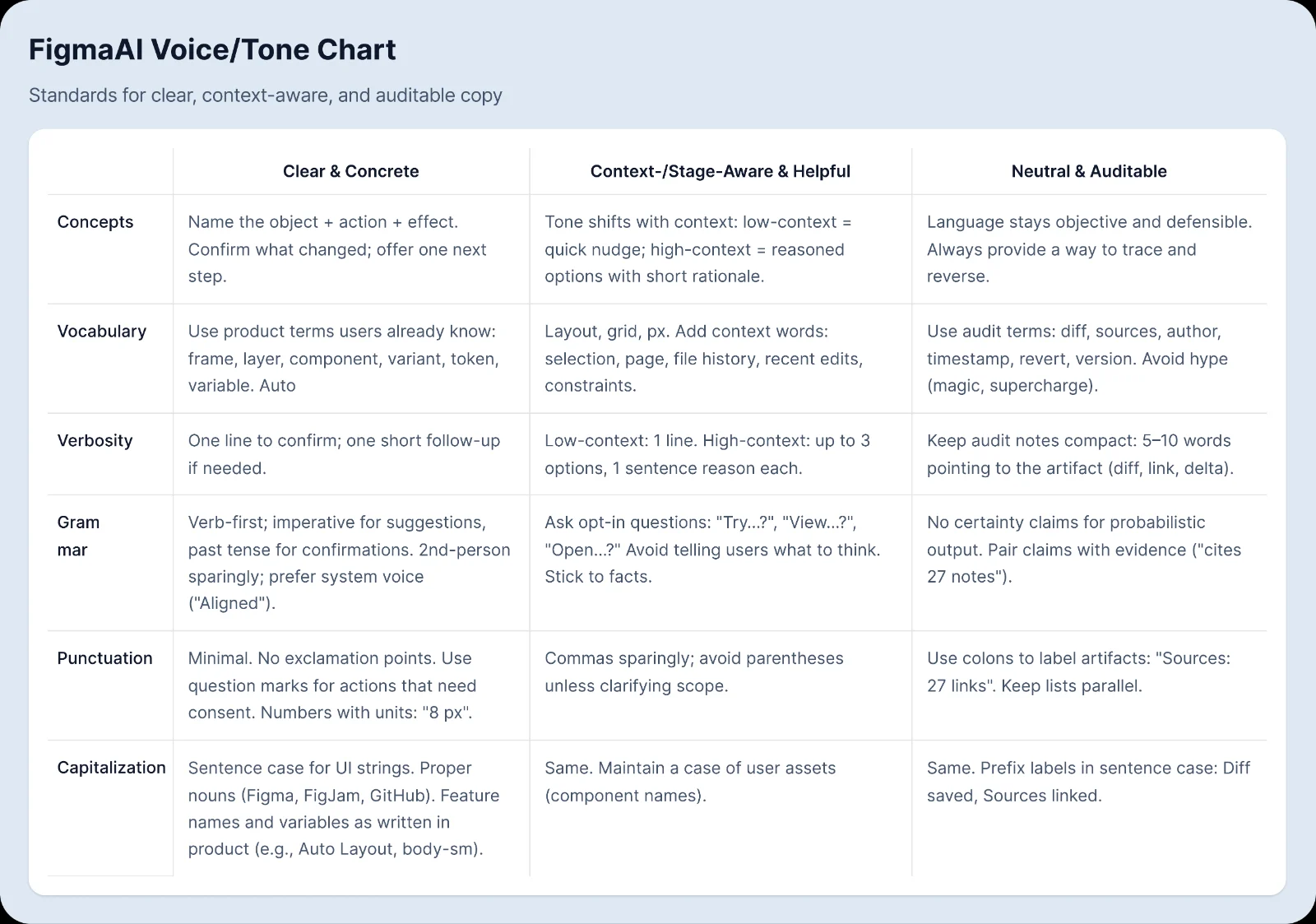
Each line of microcopy does one job. Motivation before the action, "Make this dashboard easier to scan". Instruction during it. Feedback after it: "Replaced body text with body-sm for contrast. Undo · Why?" beats "Improved typography" because it says what changed, how to reverse it and where to learn more. Scope is named in the same line, Selection, Page or File, so the designer knows the blast radius before accepting.
The model was Cursor, which lives inside the editor, takes a highlighted block as its context, and works like a second pair of hands. The stance comes from Nass, Steuer and Tauber's finding that people apply social rules to computers. So the assistant is a teammate who offers choices and tradeoffs, never verdicts, and leaves the human in charge with Accept, Undo and Explain. Accessibility guidance rides the same lines by default, "Darkened to meet WCAG AA".
What it buys each seat at the table...
What I learned
[08]I came into the semester bullish on AI and left with a clearer picture of why so many designers are not. The class's shared notes on Figma's campus events were blunter than any forum.
My read is that quality is the smaller part of the resistance. A designer iterates, explores and builds, and the craft is the satisfaction. Prompt-first AI moves the designer one seat over, into auditing and debugging, and strips that satisfaction out. It is also that design does not verbalise well: visual work anchors on spatial and implicit knowledge, and translating it into linguistic commands loses intent. Language models are strong exactly where language is discrete and low-dimensional, and weak at pragmatics and grounding, the part that gives words their weight. That is where lived experience gives designers an edge, and taste is the ordinary name for it.
So the proposal is for AI that keeps the designer in the builder's seat and makes its own work easy to check. The last quote above became a requirement: surface the scope, the reasons and the diff, so the human can justify the decision quickly, because anything opaque gets ignored when a deadline hits.
The other lesson was about writing. My midterm report on this proposal described things instead of arguing for them, and the feedback landed. After it I stopped opening with what I wanted to say and started opening with where the reader already was: verb first, object named, effect visible. Context, which had meant background, came to mean system state, selection, scope, tokens, history and stage, and copy written to the state in front of the reader got shorter and calmer. Reading how context is engineered inside a model, as a budget to stage, pin and scope, taught me to ask what a line of microcopy loads into a reader's working memory and what it leaves out.
Open threads...
- Memory that hands off between sessions: context, goals and reasoning, decisions, open threads and next actions.
- Chaining, versioning and tracing prompts, and editing what a thread keeps.
- Usability testing the four modes with working designers, which the proposal has not had.
The long-term vision is a context-aware Figma, where designers, reviewers, engineers, PMs and QA see the same changes and the same reasons, reviews move from narration to decisions, and the time goes to intent instead of cleanup.