Tour (YC'21): The Virtual Leasing Agent
[01]The widget...A virtual leasing agent that lives on an apartment property's own website: a video tour that starts by itself, a rail that carries every way to book, and a branching walkthrough that ends in a 3D model unit. Product Designer at Tour, a YC'21 company, from 2024 to 2025, on the one surface a prospective renter actually meets.
TL;DR
[02]The approach...Treat the leasing website's problem as an ordering problem. Every existing path to seeing an apartment asks first and shows second. I designed the widget to show first: the tour plays on arrival, the asks sit beside it for the whole visit, and the walkthrough is shaped like the one an agent gives in person, with a next step always offered and an exit always available.
The outcome...A widget that is a guest on 250+ partner sites, and a hosted tour page behind it. Tour has delivered 1.636 million tours through it, and one customer, PeakMade Real Estate, reports over $5M in ROI. This page is a close reading of three decisions and why each one holds.
The gap between a visit and a tour
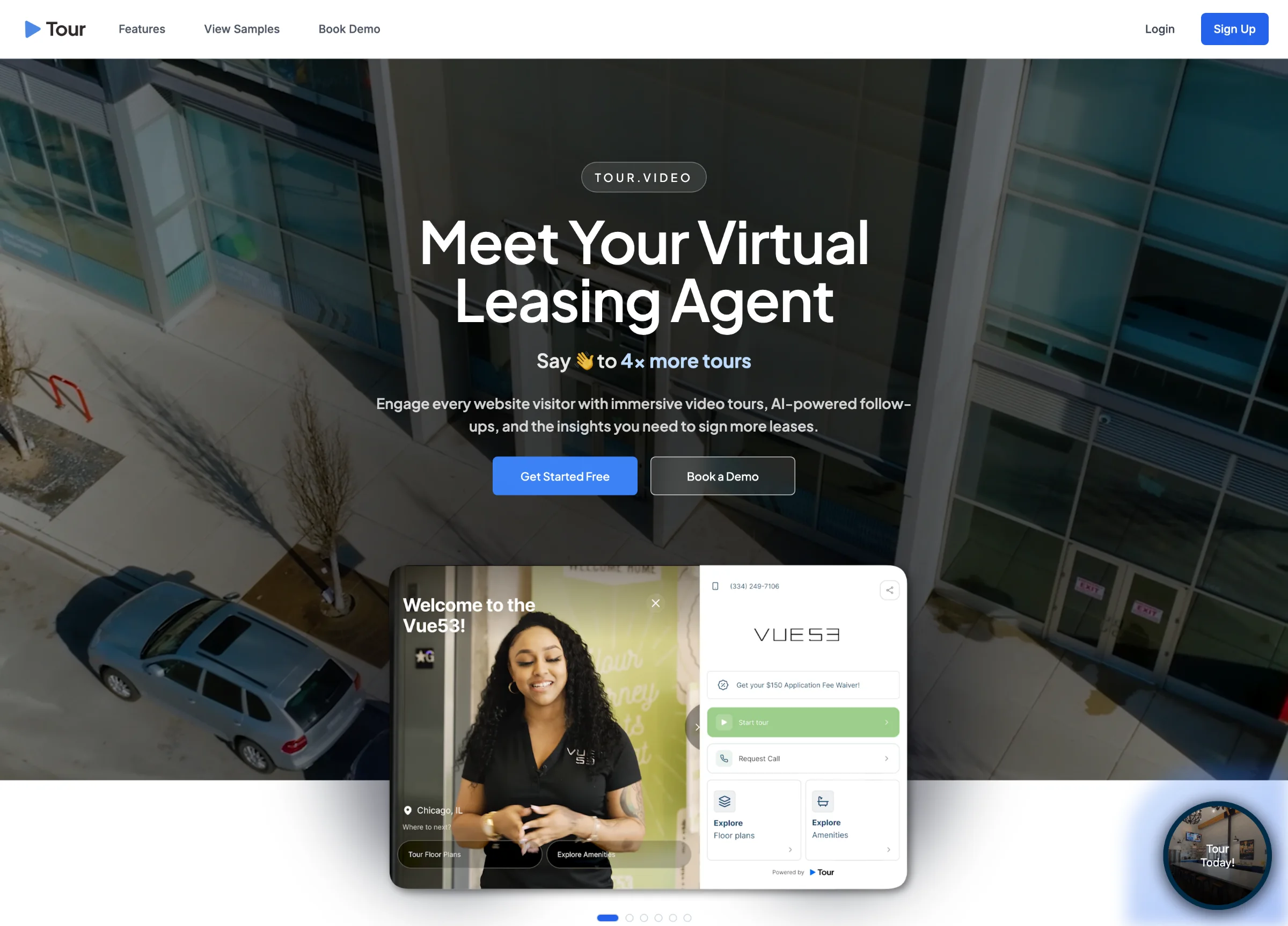
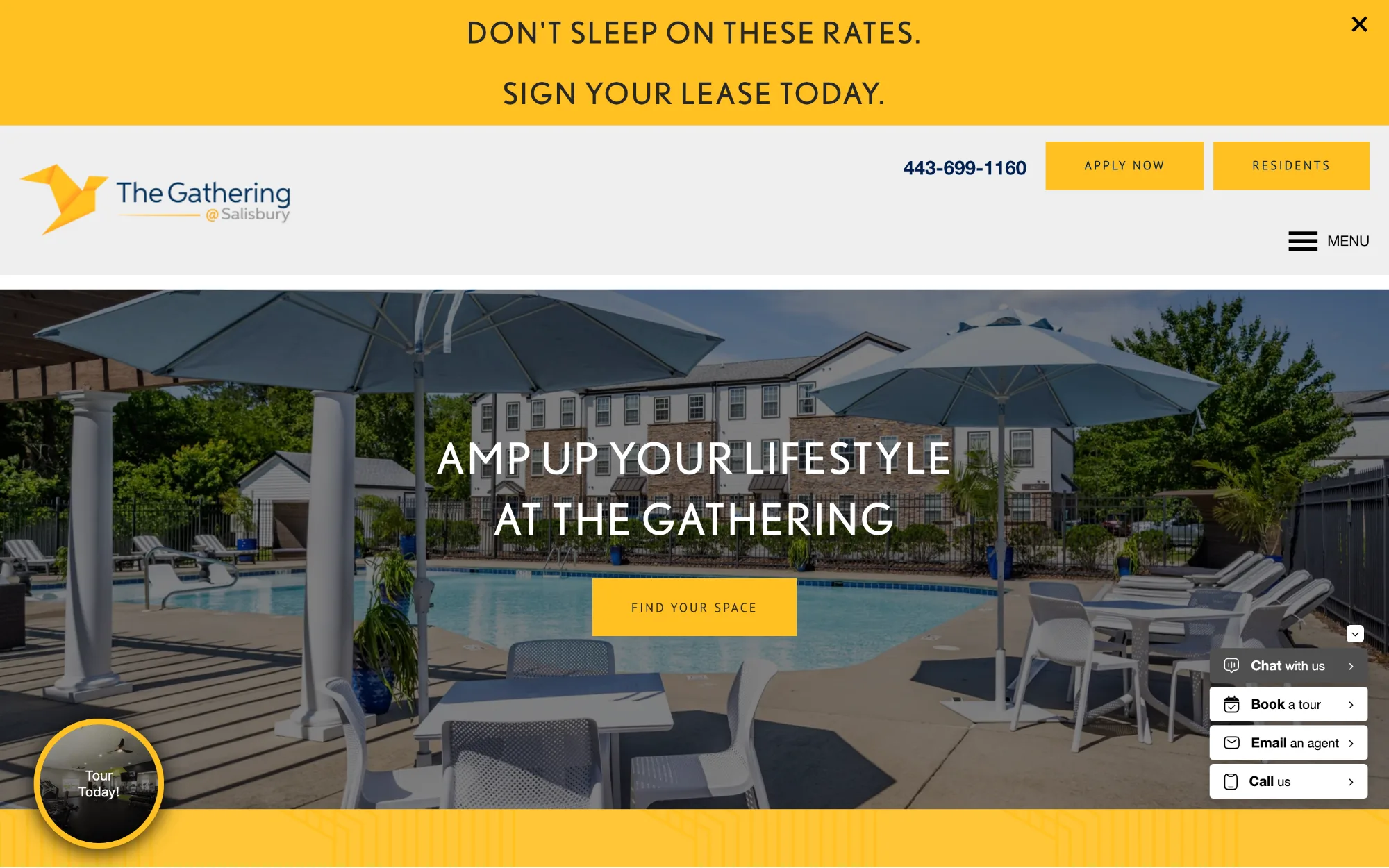
[03]A prospective renter lands on a property site with one question: what is it like inside? The site answers with a form. Book a tour, request a call, email an agent, apply now. On the page the widget ships into there are four of those in the hero alone, and a banner above them saying sign your lease today. Every one is a request the visitor has to make before anything is shown. The property is asking for a commitment in exchange for a look.
That is the gap. The person most likely to lease is the one who has already seen the unit, and the site puts seeing it on the far side of a phone call. Tour's job is to close that gap on the property's own page, without asking the property to rebuild it.
A bubble, not a page
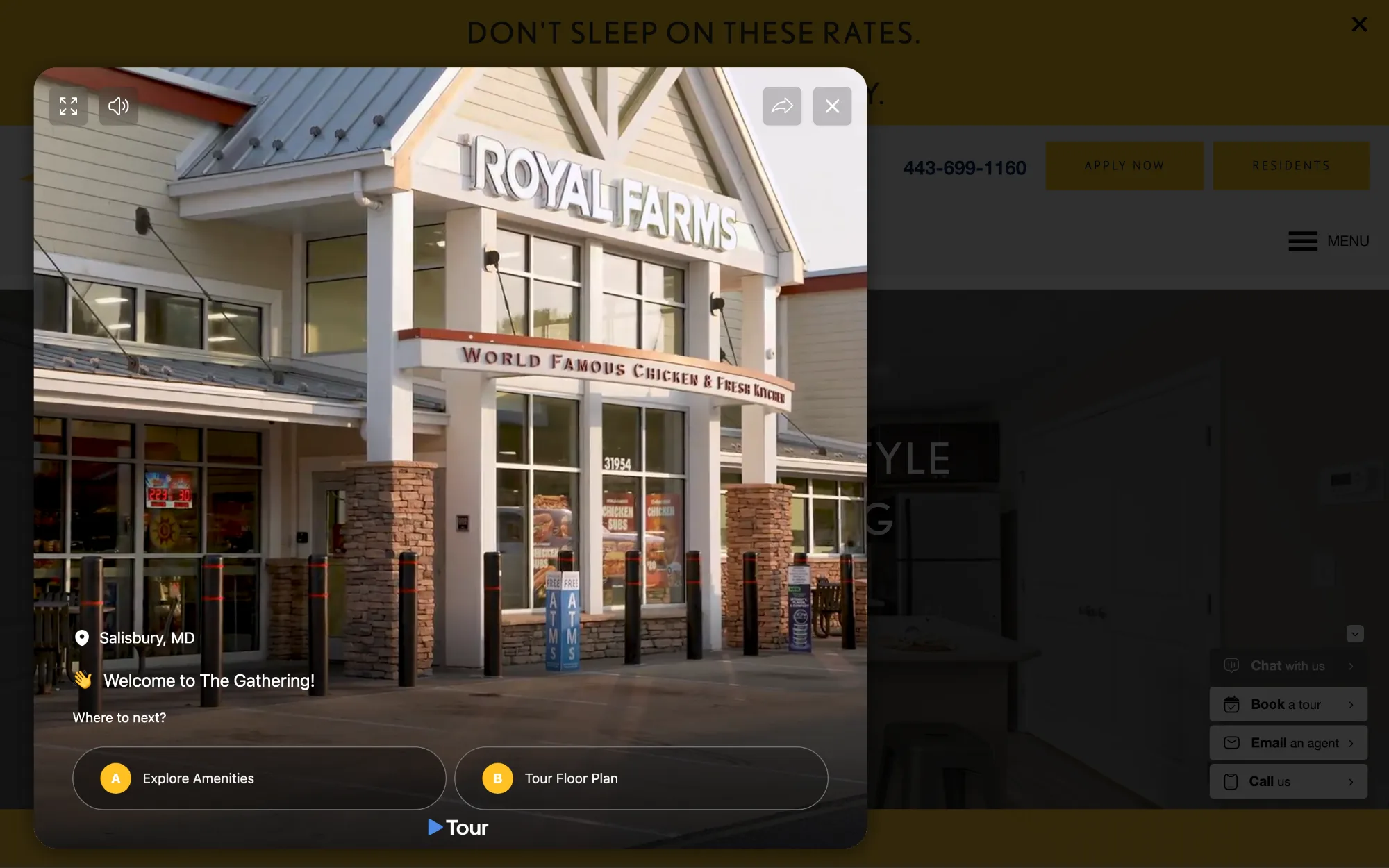
[04]The widget arrives as a circle in the corner: a thumbnail of the property, a ring in the property's own brand color, and two words, Tour Today. It is a guest in someone else's design system. The host has a hero, a menu, a chat stack and a banner, and none of them were designed with us in mind. So the widget has to be small until it is invited, and when it opens it opens in place rather than sending the visitor somewhere else. The page dims, the tour plays over it, and a close button puts everything back. Nothing about the host's site changes, which is the only way 250+ properties could each say yes.
Behind the bubble is a hosted page at tour.video: the same tour at full width, with the rail beside it.
It plays itself
Autoplay as the opening move
[05]The first decision was that the tour starts on its own. Open the bubble and the video is already moving: a drone pass over the property, a walk up to the clubhouse, the pin reading Salisbury, MD. There is no play button to find, no poster frame to judge, and no moment where the visitor has to decide whether this is worth their time. They are mid-tour before the question forms.
Autoplay is a strong claim on attention, and it is easy to resent. What earns it here is consent and cost.
The visitor has just clicked the bubble, so the play answers a request instead of ambushing one. It starts muted until they ask for sound, which is what browsers allow and also what a polite guest does. And it costs nothing to stop: the close is where the eye expects it, and the host page is untouched beneath. A play button would have made the visitor do the work of starting. Starting was our work.
The rail that never leaves
The ask, parked beside the tour
[06]Everything a person needs to act sits on the right, and stays there. The phone number is at the top. Then Start tour, the one primary button. Then Request Call. Then two tiles, Explore Floor plans and Explore Amenities. The rail does not scroll away, does not slide in at a chosen moment, and does not change when the tour does. Walk from the welcome video to a floor plan to the 3D unit and the rail is identical in every frame.
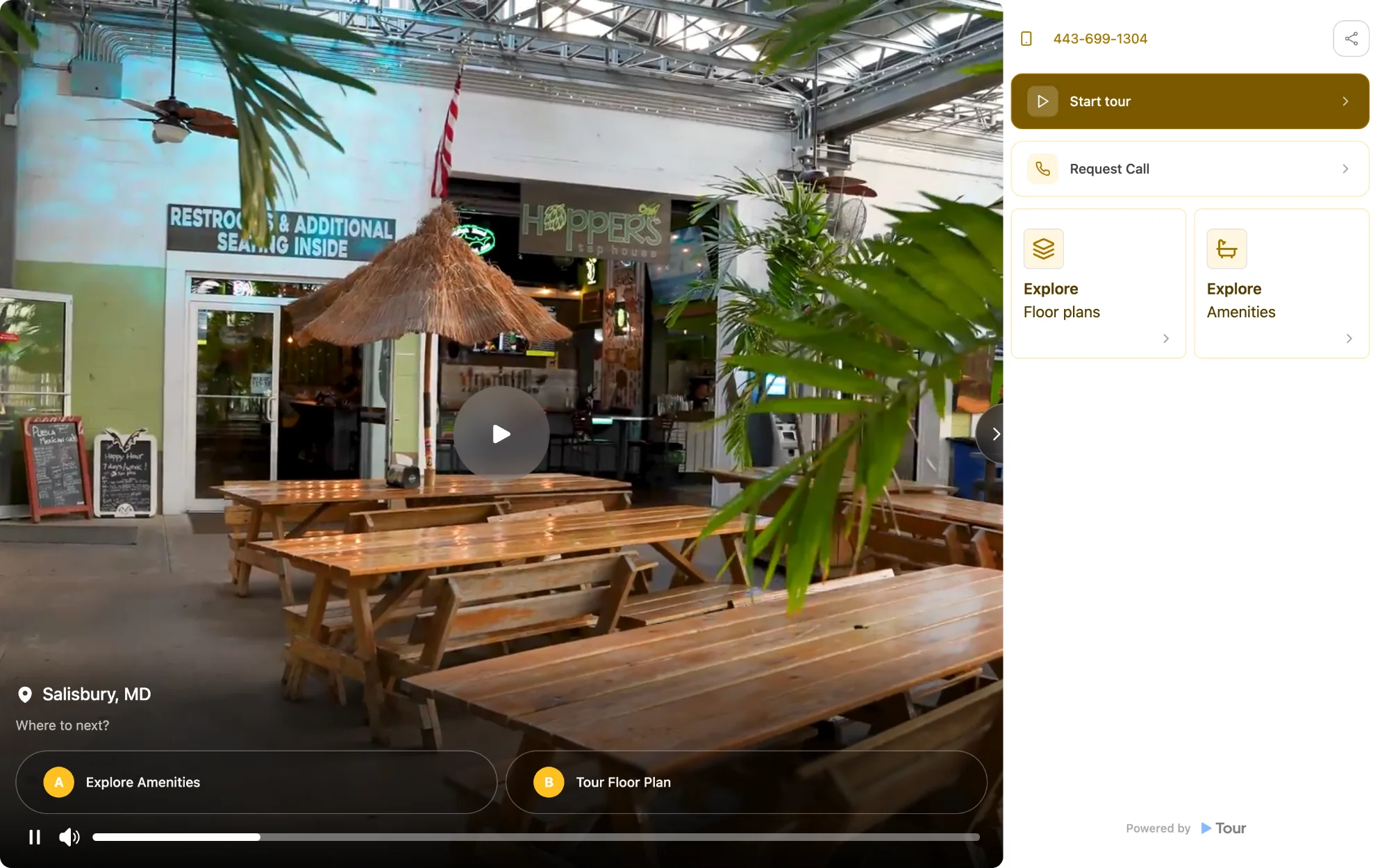
On the leasing site the ask is the gate; here it is the furniture. It never interrupts the tour, because it is not on the tour. And it never disappears, because the moment a visitor decides is not one the product can predict. Someone who wants the number in the first ten seconds gets it in the first ten seconds. Someone who wants to see the kitchen first finds the same button, in the same place, when they are ready. The rail folds behind a chevron for anyone who wants the video alone, and comes back the same way.
Where to next?
The branch of an agent-led tour
[07]An agent walking you through a building never hands you a menu. They show you a room and then offer the next one. The widget borrows that shape. Under the video the prompt is Where to next?, and the answers are lettered: A, Explore Amenities; B, Tour Floor Plan. Two options and not a site map, because two is a question and eight is a directory.
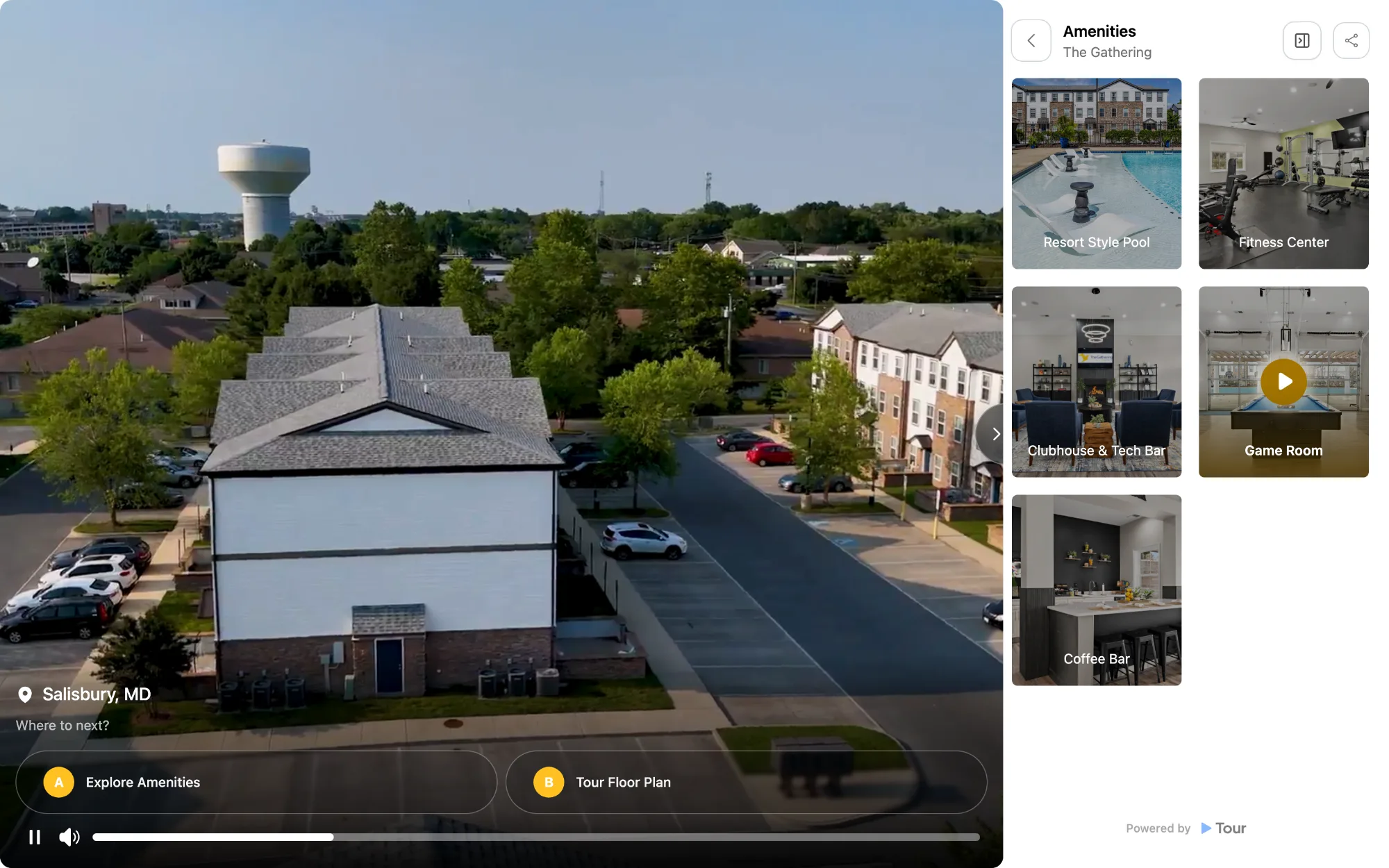
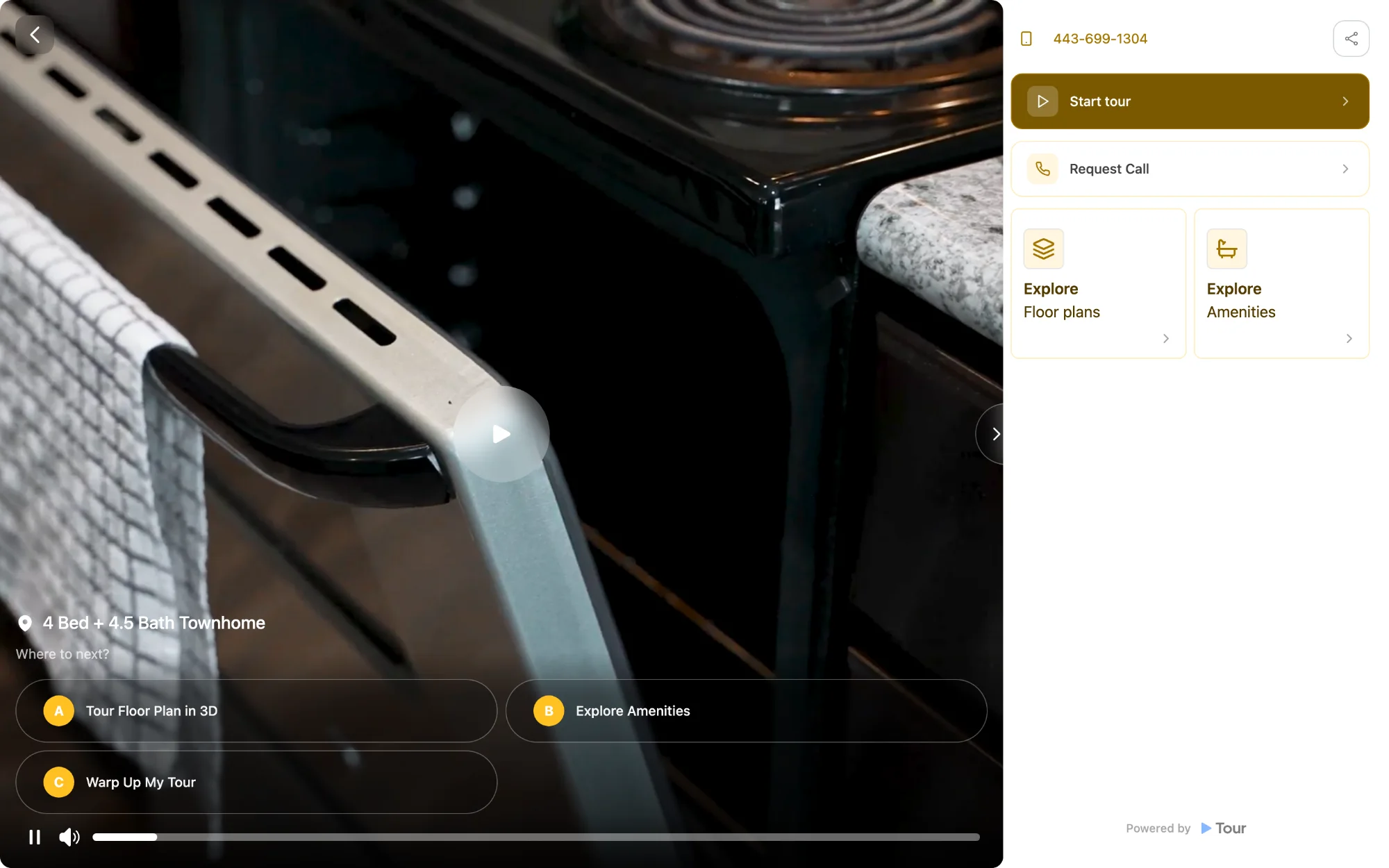
The branch grows as you go deeper. Choose a floor plan and the next prompt has three options: A, Tour Floor Plan in 3D; B, Explore Amenities; C, Wrap Up My Tour. The third is the exit, and it appears exactly when a real tour would offer one, after you have seen a unit.
It turned out that the exit mattered as much as the next step. A tour with no way to end is a trap, and a visitor who feels trapped closes the tab. Offering the way out is what makes the other two read as invitations.
The floor plan introduces itself
[08]Choose B and a voice speaks.
The label under the video changes to 4 Bed + 4.5 Bath Townhome, and the camera is already in the kitchen, at the range, at the towel on the oven door.
The voice is what makes this a tour rather than a gallery. A gallery shows you a kitchen and leaves you to work out what you are looking at. A tour tells you where you are, what it is called and what comes next, in the register a leasing agent would use on the walk from the parking lot. The narration carries the structure so the interface does not have to. The visitor never reads a heading that says D4 Floor Plan, because they have just been told.
Video narrates, 3D lets you walk
[09]Choose A and the video does not end. It shrinks. The Matterport model of the real unit fills the frame, and the guided video becomes a small card in the corner, labelled Guided Video, Preview playing, with its own pause. An overlay says it plainly: Start Guided Tour. Watch the guided video in the corner while you explore. The rail on the right has not moved.
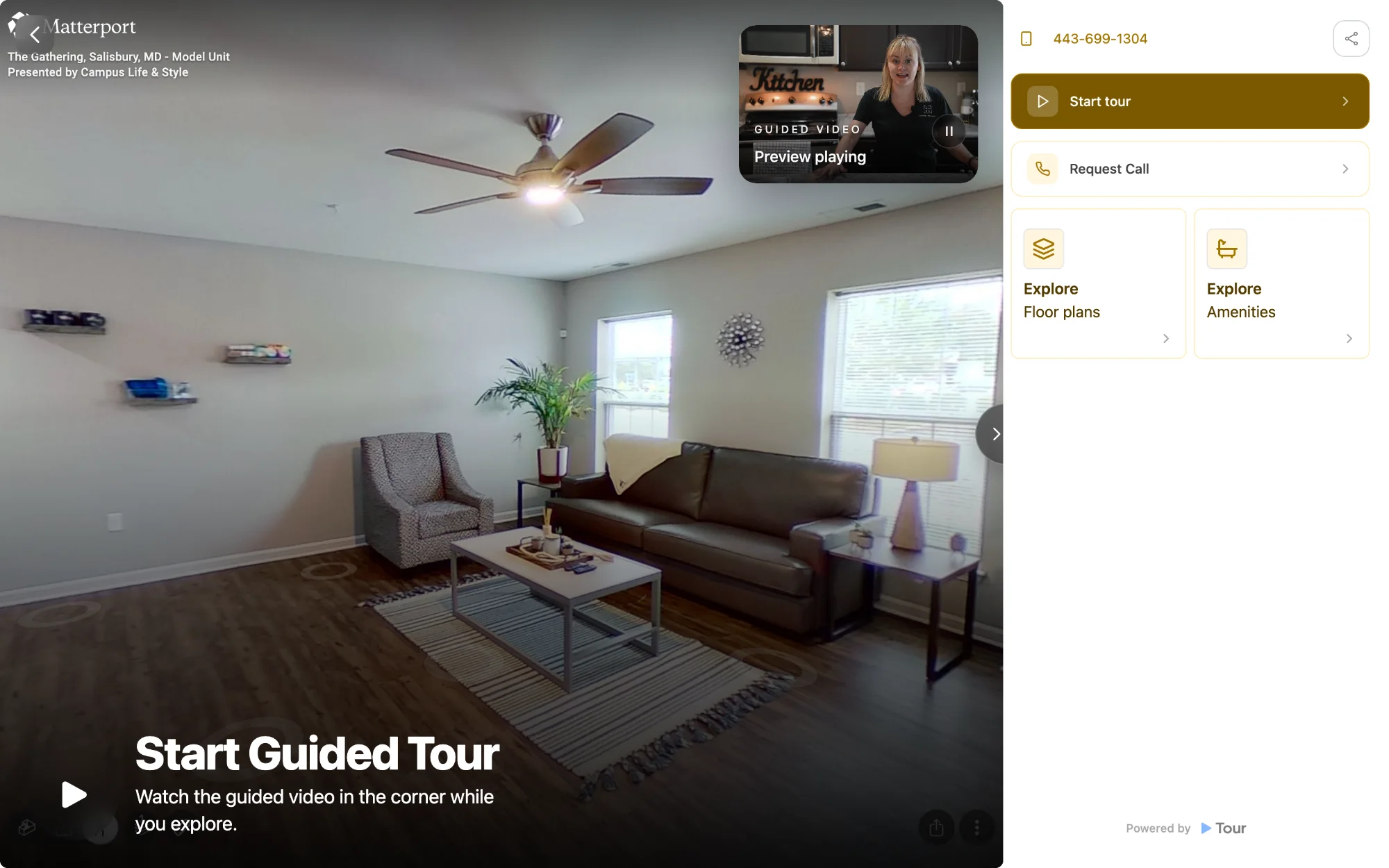
Handing over the controls without handing over the voice is the part I would keep.
The obvious design ends the video and opens the 3D model as a separate thing, and the visitor arrives in an empty room with nothing to tell them where to look. Instead the narration keeps going while the controls change hands. The voice is still describing the unit; the visitor is now the one walking through it. It is the moment on a real tour when the agent stops in the doorway, says go on, have a look around, and keeps talking from the hall. Every room is there to click into, every angle is the visitor's to choose, and they are never alone in it.
The tour itself
[10]Everything above, running: The Gathering at Salisbury's own tour, the one their corner bubble opens. The rail folds out from the chevron on the right edge, and the branch sits under the video - take either one and watch the third option appear once you are inside a unit. On a narrow screen the widget drops the branch to protect the video. Full screen is where it was meant to be met.
Reflection
[11]Seven things this product taught me, in the order I learned them.
The one that mattered most is that a leasing site treats a look as something to be earned. Tour treats it as the opening move, and keeps the ask within reach for the instant the visitor is ready.